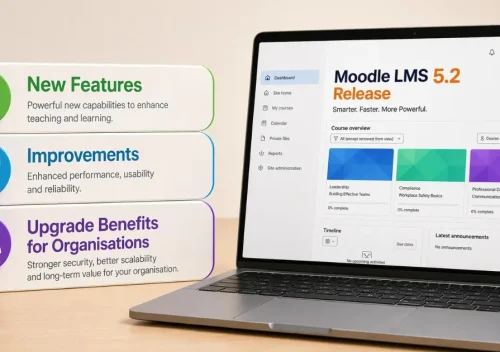
Moodle support and maintenance services ensure your site remains up-to-date with every new development that comes across. Know more on how to secure trusted services.
Key Takeaways:
- Moodle maintenance should cover updates, plugins, backups, cron, performance, access and integrations.
- Moodle 5.2 is the current stable release line as of September 2026.
- Moodle 5.2.3 was released on 14 September 2026 after a critical gradebook issue affected 5.2.2.
- Test upgrades on a copy of production before changing the live LMS.
- Course backups should not replace a complete site backup and recovery plan.
- Review third-party plugins before upgrades because compatibility and maintenance status can change.
- Moodle recommends running cron regularly, with every minute recommended for scheduled task processing.
- Maintenance mode controls access during planned work. It is different from ongoing Moodle maintenance.
- Security is one part of maintenance. Performance, recovery and learning continuity need equal attention.
Moodle problems rarely begin with a dramatic outage. Small maintenance gaps usually appear first. A missed security update, ageing plugin, failed cron task or weak backup can quietly affect the learner experience.
Regular Moodle maintenance keeps the platform supportable, recoverable and ready for day-to-day learning. It covers far more than patching. A practical plan should include core updates, plugins, backups, scheduled tasks, performance, access controls and integration checks.
For UK education providers and corporate learning teams, these checks also support operational continuity and safer platform changes. This guide explains what Moodle support and maintenance should cover in 2026 and which risks deserve attention first.
What Should Moodle Maintenance Cover?
Moodle LMS maintenance should protect the whole operating environment, not only its security settings.
A useful maintenance programme should cover:
- Moodle core and security updates
- plugin and theme compatibility
- PHP and database requirements
- Moodle backup and restore planning
- cron and scheduled tasks
- caching and performance
- authentication and permissions
- security reports and notifications
- integrations and SSO
- logs and platform monitoring
- staging and regression testing
- recovery and rollback planning
The exact workload depends on your Moodle estate.
A small training portal may need fewer checks than an LMS serving thousands of learners. Custom plugins and integrations add more dependencies.
Maintenance becomes more valuable as those dependencies grow.
If those requirements move beyond routine maintenance, LMS development solutions can address wider customisation, integration and platform-development needs.
Moodle Maintenance vs Moodle Maintenance Mode
These terms sound similar, but they describe different things. Moodle maintenance is the ongoing work required to keep an LMS healthy. Updates, backups, monitoring and performance checks all sit within that process. Moodle maintenance mode is a temporary platform state used during planned technical work.
For Moodle 5.2 upgrades, official guidance tells administrators to enable maintenance mode before the upgrade begins. Active cron processes should also finish first.
Maintenance mode can also be controlled through Moodle’s command-line administration tools.
Use it when learners should not access the platform while controlled changes are underway.
Where Security Fits Into Moodle Maintenance
Security depends on more than the Moodle core. Your version, plugins, hosting, permissions and authentication settings all influence Moodle LMS security.
Moodle provides several controls administrators can use. These include security checks, update notifications and multi-factor authentication. Antivirus integrations are also available for uploaded files.
The maintenance process should therefore check both software and configuration. Look for unsupported versions, outdated plugins, unnecessary permissions and unresolved security warnings.
Hosting also needs attention. HTTPS, server configuration, PHP versions and database support sit outside normal course administration. No single setting makes an LMS secure.
Regular checks reduce avoidable exposure and give administrators a clearer view of emerging risks.
Build a Moodle Maintenance Strategy Around Operational Risk
A useful Moodle maintenance strategy starts with the areas most likely to interrupt learning. Begin with the version currently running. Record the PHP version, database, plugins, themes, integrations and custom code around it.
Next, identify the changes that carry the most risk. An LMS with custom authentication may need deeper regression testing after an upgrade. A heavily extended site may need more plugin compatibility work.
Backups need the same discipline. Having backup files is useful. Knowing that your team can restore the platform is much more valuable.
Scheduled tasks deserve regular checks as well. Moodle relies on cron for background work such as notifications, backups and other automated processes.
Finally, document each change. Clear records make future troubleshooting easier and reduce dependence on one administrator’s memory.

Security Controls to Review During Moodle Maintenance
Moodle comes with a strong set of built-in security features designed to protect learning platforms at every level. These features work quietly in the background to secure user data, manage access, and reduce common risks. When supported by regular Moodle maintenance, they help organisations keep their LMS stable, compliant, and safe for everyday use.
Run Moodle’s Security Checks
Moodle includes a security overview report for checking potentially unsafe platform settings. Administrators can review areas such as exposed paths, PHP error display and other configuration risks.
Review Authentication and Access
Access controls deserve regular review as users, roles and responsibilities change. Moodle supports multi-factor authentication alongside several authentication methods. MFA adds another verification layer when configured appropriately. Remove unnecessary privileged access and review administrator accounts regularly.
Keep Update Notifications Active
Moodle can notify administrators about available core and plugin updates. Site registration can also provide emails about new releases and security alerts. These notifications help administrators identify updates earlier. They should still test changes before deploying them to production.
Treat Plugins as Part of the Maintenance Estate
Plugins extend Moodle, but each one adds another dependency to maintain. Before installing or upgrading one, check its Moodle compatibility, recent maintenance activity, documentation and support status.
Moodle recommends testing plugins outside production first. Its documentation also warns that poorly maintained extensions can create future upgrade or security problems.
This is stronger than the current Privacy API statement. The current wording incorrectly implies that using Moodle’s Privacy API automatically ensures GDPR compliance.
Moodle Version Check for September 2026
Moodle 5.2 remains the current stable release line at the time of this update. Moodle 5.2.3 was released on 14 September 2026. It includes a critical gradebook correction following an issue introduced in 5.2.2.
Moodle advises anyone running 5.2.2 to move to 5.2.3 or later as soon as possible.
The wider support lifecycle also deserves attention.
Moodle 5.2 receives general bug fixes until 19 April 2027. Security support continues until 4 October 2027.
Moodle 5.0 reaches the end of security support on 5 October 2026.
The next LTS release, Moodle 5.3, is scheduled for 5 October 2026. It has not yet been released as of 21 September.
What to Check Before a Moodle 5.2 Upgrade
Moodle 5.2 requires Moodle 4.4 or later as the starting point for a direct upgrade. It also requires at least PHP 8.3.
Sites moving from Moodle 5.0 or earlier also need to account for the code-directory restructure introduced with Moodle 5.1.
That change may require web server configuration updates.
Before any production upgrade:
- verify the supported upgrade path
- check PHP and database requirements
- review every plugin and theme
- back up code, moodledata and the database
- test the upgrade on a production copy
- prepare a rollback route
- schedule an appropriate maintenance window
Moodle’s own upgrade guidance recommends testing on a copy of production and backing up all three core site areas first.
Moodle Maintenance Practices That Prevent Repeat Problems
Problems become easier to manage when maintenance follows a repeatable routine.
The following checks cover areas that commonly affect security, recovery and platform availability.
Register Your Moodle Site and Enable Update Notifications
Registering your Moodle site can provide release and security-alert emails. Administrators can also configure update notifications for Moodle core and installed plugins. Assign responsibility for reviewing those alerts so important updates do not sit unnoticed.
Back Up the Full Moodle Site and Test Recovery
A useful Moodle backup and restore plan protects more than individual courses. A complete site backup needs the database, uploaded data and Moodle software or an equivalent reproducible codebase.
Course backups remain useful for individual learning content. Moodle warns against treating automated course backups as the primary site backup system. Test restoration as well. A backup that nobody has successfully restored leaves an important question unanswered.
Follow the “Least Privilege” Principle
Give users only the access their responsibilities require. Administrative permissions should remain limited, reviewed and removed when roles change. For higher-risk accounts, consider Moodle’s multi-factor authentication controls as part of the access strategy.
Review the Security Overview Report
Run Moodle’s security overview report as part of routine maintenance. It can highlight configuration issues that administrators may otherwise miss.
Combine those findings with update status, authentication settings, permissions and hosting controls.
Monitor Cron and Scheduled Tasks
Moodle relies on background tasks for many routine platform processes. A failed cron job can affect notifications, backups and other scheduled activities without causing an obvious front-end error.
Moodle recommends running cron regularly, with every minute recommended for scheduled task processing. Review failed tasks and unusual retry delays instead of assuming cron is healthy because the site loads.
Test Updates Away From Production
Avoid using your live LMS as the first place to discover compatibility problems. Moodle recommends testing upgrades on a copy of production before rollout. Use that environment to check login, enrolment, courses, assessments, integrations and other critical learning journeys.
Review Plugins Before Every Major Upgrade
Build a current inventory of plugins and themes before changing Moodle versions. Check whether each extension supports the target release and remains actively maintained. Remove unnecessary dependencies carefully instead of carrying them into every future upgrade.
Moodle Performance and Reliability Checks Security-Only Maintenance Misses
Security is important, but learners also notice slow pages, delayed notifications and broken integrations. A complete Moodle LMS maintenance plan should check these areas too.
Cron and Background Tasks
Scheduled tasks power important background processes across Moodle. Review failed jobs, long-running tasks and unexpected processing delays.
A healthy homepage does not prove that every background process is working.
Caching and Platform Performance
Performance problems can come from the application, database, storage or infrastructure. Review caching, server resources and database behaviour when response times start to rise.
Moodle’s installation guidance notes that web and database servers may need tuning for the platform’s workload.
Integrations and Authentication
SSO, APIs and third-party services can fail independently of Moodle core. Include critical integrations in routine testing after upgrades or configuration changes. A successful Moodle update does not prove every connected service still behaves correctly.
Logs and Monitoring
Use logs and monitoring to spot patterns before they become learner-facing incidents. Watch login failures, scheduled tasks, resource pressure and recurring application errors.
Common Moodle Maintenance Risks to Watch
Moodle problems often show themselves before a serious incident occurs. The warning may be a delayed task, an ageing plugin or an upgrade that suddenly becomes difficult. Spotting these signs early helps you understand where maintenance debt is building. The examples below focus on the operational impact rather than repeating the maintenance steps covered earlier.
Running an Unsupported Moodle Version
An ageing Moodle branch gradually narrows your options. Security coverage ends, newer plugins may stop supporting it, and the eventual upgrade can require a larger technical jump. A platform that still appears to work can therefore carry growing maintenance debt behind the scenes.
Abandoned or Incompatible Plugins
A plugin can become a problem long before it visibly fails. Warning signs include stalled updates, limited support for newer Moodle releases or growing dependency conflicts. These extensions often become the reason an otherwise straightforward upgrade needs extra testing or redevelopment.
Failed Cron or Scheduled Tasks
Cron failures are easy to miss because the main site may continue loading normally. Learners may instead notice delayed emails, unfinished background jobs, missed reports or backup problems. Repeated task failures usually point to an operational issue that deserves investigation.
Backups That Have Never Been Restored
A backup file only proves that data was written somewhere. It does not prove the LMS can be recovered within an acceptable timeframe. The real risk appears during an incident, when missing files, incomplete databases or undocumented restore steps delay recovery.
Updates Applied Directly to Production
Production-only updates leave little room for unexpected plugin, theme or integration conflicts. The platform may complete the upgrade successfully while a critical learner journey breaks afterwards. Login, enrolment, assessments and connected services can all expose problems that a basic upgrade check misses.
PHP, Database and Hosting Version Drift
Moodle can remain stable while its underlying technology gradually falls behind. Problems often appear when a future Moodle release requires newer PHP, database or server components. What looked like one LMS upgrade can then become a wider infrastructure project.
Excessive Administrator Access
Administrator access tends to accumulate as teams change. Old accounts, temporary privileges and unnecessary site-wide roles can remain long after their original purpose disappears. That increases both security exposure and the chance of accidental configuration changes.
When Moodle Maintenance Needs Specialist Support
Internal teams can manage many Moodle tasks when they have the skills, time and clear ownership.
The challenge grows when the LMS includes custom plugins, integrations, complex hosting or business-critical learning journeys.
IDS Logic provides Moodle support and maintenance across core updates, plugins, themes, performance, integrations, SSO and operational issues.
Support can also include 24/7 monitoring and SLA-led coverage for business-critical platforms.
IDS Logic has 19+ years of industry experience and supports more than 750 customers across its wider digital delivery work.
With delivery teams based in Leeds and a strong UK-wide presence, support can continue beyond an individual upgrade or incident.
Where maintenance exposes wider platform requirements, IDS Logic also provides LMS development solutions covering customisation, integrations and longer-term learning-platform development.
Conclusion – Keep Moodle Maintainable, Not Just Available
A healthy Moodle platform should be easier to change, recover and support.
Keep the core on a supported release. Review plugins before upgrades, validate backups and watch scheduled tasks for failures.
Security remains important, but Moodle maintenance also protects performance, recovery and learning continuity.
Test significant changes away from production and document what moves into the live environment.
For business-critical learning platforms, regular maintenance also makes future upgrades easier to plan.
That is far more useful than waiting for an outage to reveal what has been neglected.