SharePoint 2026: AI, Copilot & Modern Workplace Features — 30–40% Productivity Gains | 8 Major Updates | Rolling Out Now
SharePoint continues to evolve as a core platform for collaboration, content management, and digital workplaces. In 2026, Microsoft has taken a major step forward by integrating AI, automation, and deeper Microsoft 365 connectivity. As a result, SharePoint is no longer just a document management tool. It is becoming an intelligent workspace that supports faster decisions and better workflows.
Across organisations, especially in India, businesses are facing common challenges. These include managing large volumes of data, improving team productivity, and ensuring secure collaboration. SharePoint 2026 directly addresses these needs with smarter tools and simplified user experiences.
One of the biggest shifts comes from AI-powered capabilities and Copilot integration. These features help automate routine tasks, organise content more efficiently, and deliver relevant insights instantly. In fact, organisations using AI-enabled tools have reported up to 30-40% improvement in productivity and faster decision-making.
At the same time, Microsoft is moving strongly towards modern SharePoint experiences. Between late 2025 and early 2026, major updates are being rolled out to encourage organisations to move away from classic publishing sites. This signals a clear direction – modern, cloud-first, and AI-driven SharePoint environments are the future.
For business leaders and IT teams, these updates bring clear advantages. You get better performance, improved admin control, and stronger security without increasing operational complexity. At the same time, new authoring tools, responsive designs, and low-code capabilities make it easier for teams to create and manage content.
In this blog, we break down the latest SharePoint 2026 features and enhancements. More importantly, we explain what these updates mean for your business and how you can make the most of them.
To understand why businesses are moving towards modern SharePoint, read our guide on SharePoint migration.
Top SharePoint 2026 Features and Updates Transforming the Microsoft Ecosystem
SharePoint continues to evolve into a smarter and more intelligent digital workplace platform. With the introduction of advanced SharePoint 2026 features, Microsoft is moving beyond traditional document management towards AI-driven collaboration and automation.
Today, organisations are dealing with large volumes of content, complex workflows, and increasing security demands. SharePoint addresses these challenges with AI-powered tools, deeper Microsoft 365 integration, and improved governance.
Whether you are managing intranets, building applications, or handling enterprise content, SharePoint now offers a faster, more secure, and future-ready solution.
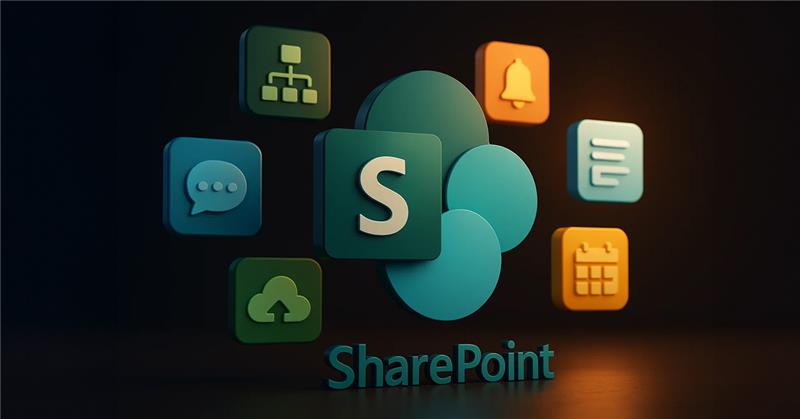
1) AI-Powered Search, Copilot, and Intelligent Knowledge Discovery
With deeper integration of Microsoft Copilot and AI agents, SharePoint is transforming how users access and manage information. Instead of manual searches, users now get contextual and accurate results instantly.
What’s New:
- Predictive content recommendations based on user behaviour
- Unified search across Teams, Outlook, and SharePoint
- AI-generated content and summaries for pages and documents
- Context-aware answers using metadata and intranet content
- Introduction of AI tools like SharePoint Knowledge Agent for automated tagging and content organisation.
Read More: Learn how to implement these capabilities in your organisation
2) Personalised and Adaptive User Experiences
Modern SharePoint now delivers a more tailored experience. Content adapts based on user role, location, and behaviour, improving engagement and usability.
What’s New:
- Personalised layouts for departments and roles
- Faster and optimised experience across devices
- Built-in accessibility features for inclusive usage
- Cleaner authoring tools and modern templates
3) Enhanced Collaboration with Microsoft Loop and AI Agents
Collaboration has become more dynamic and real-time. With Loop integration and AI-driven agents, teams can now work faster and smarter across platforms.
What’s New:
- Real-time co-authoring across Teams, SharePoint, and OneNote
- Embedded Loop components within pages and libraries
- AI-powered site agents that provide instant answers from site content
- Improved workflow approvals and version control
4) Low-Code Innovation with Power Platform and Automation
SharePoint continues to empower non-technical users with low-code tools. This helps businesses automate processes without heavy development effort.
What’s New:
- Seamless integration with Power Apps and Power Automate
- Drag-and-drop tools for building apps and workflows
- AI-assisted workflow creation using natural language
- Faster deployment of business solutions
5) Hybrid, Cloud, and Modern SharePoint Transition
Microsoft is strongly pushing organisations towards modern SharePoint experiences. Classic publishing sites are now being phased out.
What’s New:
- Improved sync between SharePoint Server and Microsoft 365
- Unified APIs for hybrid environments
- Restrictions on creating new classic publishing sites
- Gradual disablement of custom scripting for better security
- Shift towards fully modern, cloud-first SharePoint environments
6) Advanced Security and Compliance Automation
Security in SharePoint has become more proactive and intelligent. AI now plays a key role in identifying risks and protecting sensitive data.
What’s New:
- Automatic sensitivity labels based on content
- AI-driven threat detection and risk alerts
- Improved governance and compliance controls
- Enhanced external sharing policies and access control
- Better data protection with AI-powered monitoring
7) Sustainability, Analytics, and Content Insights
Microsoft is focusing on sustainability and data-driven insights. Organisations can now monitor usage and optimise resources effectively.
What’s New:
- Carbon usage tracking and sustainability metrics
- Energy efficiency reporting across environments
- Advanced analytics on user engagement and content lifecycle
- AI-driven insights to improve content performance
8) Developer, Admin, and Governance Enhancements
SharePoint now offers better tools for developers and administrators. These updates simplify management while improving control and scalability.
What’s New:
- Expanded Microsoft Graph API capabilities
- Centralised SharePoint Admin Centre with better controls
- Automated patching and update management
- AI-powered admin agents for governance and monitoring
- Ability to manage property bags securely without enabling scripts
Why Staying Updated with SharePoint and SharePoint 2026 Features Matters for Organisations?
SharePoint has evolved from a simple document management tool into a strategic platform for collaboration and digital workplaces. In 2026, with the rise of AI and automation, staying updated with SharePoint 2026 features is essential.
Organisations that adopt the latest updates improve efficiency, strengthen security, and support better decision-making. In contrast, outdated systems create silos, reduce productivity, and increase risks. Therefore, continuous optimisation is key to staying competitive.
1) Strengthened Security and Governance with Every Release
As cyber threats continue to grow, SharePoint updates focus on proactive security and governance. With AI-driven monitoring and automated compliance tools, organisations can detect risks early and protect sensitive data more effectively.
These updates also help businesses meet regulatory requirements without adding operational complexity. As a result, companies can maintain secure and well-governed environments while scaling their operations.
2) Improved Team Productivity with AI and Automation
Modern businesses need faster and more efficient workflows. SharePoint integrates closely with Microsoft 365 tools to reduce manual work and improve productivity. With AI-powered features like Copilot and automation tools, teams can manage content, complete tasks, and access information more quickly. This allows employees to focus on high-value activities instead of repetitive processes, leading to better overall performance.
3) Smarter Collaboration and Connected Workplaces
Collaboration has become more dynamic and real-time. SharePoint now works seamlessly with tools like Teams, Outlook, and OneNote, enabling teams to collaborate from any location. In addition, features like real-time editing, version control, and personalised content delivery improve communication and coordination. This creates a more connected and efficient workplace, especially for remote and hybrid teams.
4) Future-Ready Platform with AI and Modern Experience
Microsoft is clearly moving towards modern, AI-driven SharePoint environments. Legacy systems are being phased out, while new features focus on automation, intelligent search, and better user experiences. By staying updated, organisations can take advantage of these innovations and future-proof their digital workplace. This not only improves scalability but also ensures long-term growth and adaptability.
Read More : How to Integrate Microsoft Copilot with SharePoint for Smarter Workflows?
How to Prepare Your Business for SharePoint 2025 and SharePoint 2026 Features?
Rolling out SharePoint is not just a technical upgrade. It requires a clear strategy, phased execution, and continuous improvement. In 2026, with AI, automation, and modern intranet experiences becoming central, businesses must take a structured and practical approach.
This helps reduce disruption, improve adoption, and maximise long-term value from SharePoint investments.
You can also explore how SharePoint supports custom portals and business solutions here.
1) Start with Testing and Targeted Rollouts
Before rolling out new SharePoint features across the organisation, it is important to begin with a phased approach. Start with a small group or pilot project to test functionality and gather real user feedback. This reduces risk and helps identify gaps early.
Use Targeted Release in Microsoft 365 to explore new features in a controlled environment. Also, focus on quick wins, such as document management or intranet improvements, to build confidence among users. Instead of implementing everything at once, introduce features gradually, including Teams, automation tools, and integrations. This approach ensures smoother adoption and better alignment with existing workflows.
2) Empower Teams Through Training and User Adoption
Technology alone does not guarantee success. User adoption plays a critical role in SharePoint implementation. Employees need proper guidance to understand how to use SharePoint effectively, especially with AI and automation features.
Provide practical and role-based training sessions that cover tools like SharePoint Lists, Microsoft Copilot, and Power Automate. Focus on real use cases such as document management, metadata tagging, and workflow automation. At the same time, encourage user participation and feedback. When teams feel involved, adoption improves significantly. A simple and intuitive user experience also helps reduce resistance and increases engagement.
3) Review and Update Your IT Policies and Governance
With new features come new responsibilities. Businesses must align their IT policies with the latest SharePoint capabilities, especially around security, compliance, and data governance.
Start by auditing user roles, permissions, and access controls. Update data classification policies and ensure proper use of sensitivity labels. In addition, review integration points across Microsoft 365 to maintain consistency and security.
As AI features become more common, organisations should also define clear governance for automated processes and AI-generated content. This ensures better control, reduces risks, and maintains compliance across the platform.
4) Plan for Continuous Improvement and Modern Intranet Growth
Launching SharePoint is only the beginning. To get long-term value, organisations must treat it as an evolving platform. Regular updates, fresh content, and ongoing optimisation are essential to keep the intranet relevant and engaging.
Create a clear content strategy and ensure information stays updated. Personalise content based on user roles and departments to improve engagement. In addition, explore enhancements such as advanced intranet tools, integrations, or third-party solutions if required.
Most importantly, involve users in the development process. Gather feedback, improve features over time, and adapt to changing business needs. This approach ensures your SharePoint environment remains effective, scalable, and future-ready.
Final Thoughts – Preparing for SharePoint 2025 and SharePoint 2026 Features
SharePoint continues to evolve rapidly, and the latest updates highlight a clear shift towards AI-driven and modern digital workplaces. With the introduction of advanced SharePoint 2026 features, businesses can now move beyond traditional document management and adopt more intelligent, automated, and scalable systems.
These updates are not just incremental improvements. They represent a long-term transformation towards smarter collaboration, better governance, and faster decision-making. From AI-powered search and automation to improved hybrid capabilities and low-code development, SharePoint is becoming a central platform for business operations.
To stay ahead, organisations should take a proactive approach. Start by assessing your current infrastructure and identifying gaps. Then test new features in controlled environments, train your teams, and gradually adopt modern SharePoint experiences.
Most importantly, focus on long-term value rather than quick fixes. A well-planned SharePoint strategy can improve productivity, strengthen security, and support sustainable business growth.
Partner with IDS Logic to Maximise Your SharePoint Investment
Choosing the right approach to SharePoint implementation is critical for success. IDS Logic provides end-to-end SharePoint development, customisation, and support services tailored for modern businesses. Our team helps you plan, implement, and optimise SharePoint solutions that align with your business goals.
From smooth migrations and AI integration to secure architecture and ongoing support, we ensure your SharePoint environment is future-ready and high-performing.
Speak to Our SharePoint Experts