Keeping your network secure is of utmost importance in today’s competitive e-commerce landscape. Cyber attacks are on the rise, and a single breach can result in financial losses, reputational damage, and the erosion of customer trust.
The Adobe Commerce (formerly known as Magento) eCommerce platform remains one of the world’s most powerful. The flexibility and rich features of this platform attract businesses across the globe.
In addition to its strength, these characteristics make it an ideal target for cyberattacks, especially as we approach 2025. Ransomware, data theft, identity fraud, and phishing are growing threats to businesses. They disrupt operations, compromise sensitive data, and cost them dearly.
Several proactive security measures are essential: regular updates, timely patches, and strong authentication. In addition to preventing attacks, these steps ensure compliance with global and UK regulations.
This blog highlights the best practices for Adobe Commerce security in 2025. From updates and two-factor authentication to advanced security layers, these strategies will help you keep customers safe and secure.
Major Threats and Challenges That eCommerce Businesses Face
In the world of e-commerce, threats are constantly evolving. Cybercriminals are using advanced tactics like AI-driven attacks, automated exploits, and phishing campaigns as businesses adopt digital transformation. For Adobe Commerce store owners, security is no longer optional; it’s a priority.
Security Threats to Watch in 2025
1) Ransomware and Malware Attacks
Cyber criminals today are employing advanced ransomware strategies to lock down critical store data to force store owners to pay to retrieve their lost data. Malware that infects core files encrypts customer-sensitive information. As Ransomware-as-a-Service (RaaS) increases, even novice hackers are capable of launching significant attacks.
2) Weak API Links and Third-Party Vulnerabilities
Most online stores rely on APIs for payment gateways, shipping, and analytics. Unsecured APIs or misconfigured third-party integrations provide attackers an easy backdoor into systems.
3) SQL Injection Threats
Hackers execute SQL queries loaded with potential malware, allowing them to invade databases and steal sensitive information, like payment data. Now, through the use of automated bots, hackers can send thousands of SQL injection attacks in a minute. This makes secure coding practices more important than ever.
4) Phishing Scams & Social Engineering
AI-powered phishing emails and fake websites create the illusion of authentic sources by tricking store owners, employees, and customers into revealing credentials. Admin accounts are frequent targets, which makes employee training and multi-factor authentication (MFA) necessary.
5) Distributed Denial-of-Service Invasions
AI-enabled DDoS attacks obfuscate their target server with garbage requests, resulting in downtime, lost sales, and reputational harm. As these attacks become more widespread and more advanced, there is an increased need for proactive mitigation methods.
Other Security Challenges Online Retailers Face
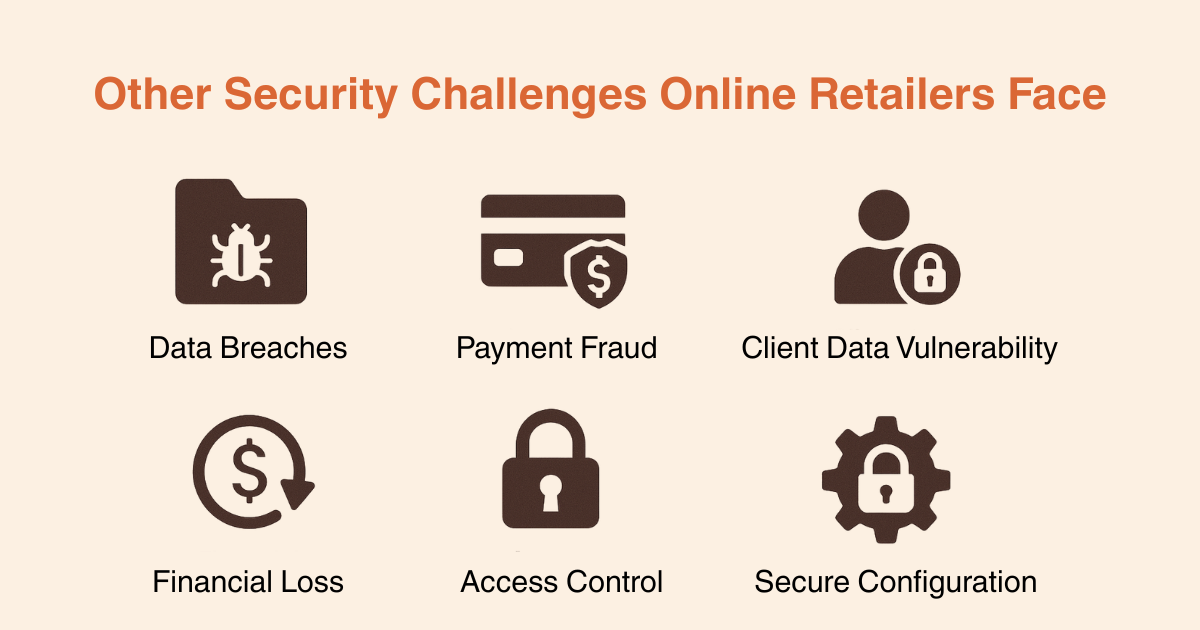
Data Breaches
Customer details like names, emails, and payment info are prime targets. A single breach can lead to legal issues, financial loss, and broken trust.
Payment Fraud
Fraudulent transactions hurt both businesses and customers. Using secure payment gateways and fraud detection tools is essential.
Client Data Vulnerability
Shoppers trust you with personal details. Encrypting data and using secure connections (HTTPS) are now non-negotiable.
Financial Loss
A security lapse doesn’t just cost money; it can ruin your brand image overnight. Restoring trust is more difficult than preventing a breach.
Access Control
Giving the wrong person too much access is like handing over all your store keys. Role-based access control (RBAC) reduces insider risks.
Secure Configuration and Encryption
Use HTTPS, encrypt all sensitive information, and keep an eye on API security. Think of it as locking a vault before sending it out.
Implementing Strong Security Measures for Your Adobe Commerce Store in 2025
Below are the essential Adobe Commerce security best practices every store owner must implement to protect their business and customers.
Need expert assistance? Our Adobe Commerce/Magento support services can help you keep your store updated and fully compliant with these recommendations!
1) Stay Updated: Maintenance, Updates & Patching
Keeping your Adobe Commerce updated is the best and strongest defence against known exploits.
-
Install Security Patches Immediately
Adobe deploys targeted patches to mitigate vulnerabilities that are newly discovered. After the release of updates, attackers look for unpatched sites; therefore, you should apply updates right away after the release of a security patch. Always monitor vigilance alerts in Adobe Security Center, and automate alerts for new patch notifications so you are not missing anything.
-
Upgrade to the Latest Stable Release
Updates to major or minor versions frequently include new security controls, performance improvements, and bug fixes. Upgrade and test in a staging or your own Sandbox environment first (including extensions, themes, and custom code), and have a rollback plan just in case a problem occurs in production.
-
Use the Magento Security Scan Tool
Run scheduled scans (monthly at minimum; after major changes). This tool checks for malware signatures, open ports, outdated components, and configuration risks. Review the report and remediate issues fast.
2) Control Access: Accounts, Roles & Identity Security
The admin panel is a prime attack target. You need to limit who gets in and what they can do.
-
Turn On Two‑Factor Authentication (2FA)
Require a second step (token, app code, device prompt) for all admin users, especially high‑privilege accounts. This blocks most credential‑stuffing and password-reuse attacks.
-
Apply Role‑Based Access Control (RBAC)
Give each user only the permissions required for their job. Content editors don’t need payment data; finance users don’t need theme control. Least privilege reduces both mistakes and insider risk.
-
Enforce Strong Unique Passwords
Require length + complexity and regular rotation. Discourage reuse across systems. Consider deploying an enterprise password manager for secure credential storage.
-
Restrict Admin Login by IP (Whitelisting)
Where possible, allow back‑end logins only from trusted office IP ranges or a secure VPN. This dramatically cuts brute‑force and opportunistic attacks.
3) Protect Data: Encryption & Security Policies
Safeguard sensitive information in transit and at rest.
-
Enforce HTTPS (SSL/TLS) Everywhere
Encrypt all traffic, browsing, logins, checkout, and admin. HTTPS improves PCI alignment, user trust, and even search ranking.
-
Configure a Content Security Policy (CSP)
Limit which domains can serve scripts, styles, and assets. CSP helps block injected code and reduces exposure to XSS and form‑jacking attacks.
-
Use Secure, HTTP‑Only Cookies
Mark session cookies as Secure and HttpOnly, so they travel only over HTTPS and cannot be read via client‑side scripts. This helps prevent session hijacking.
4) Add an Edge Shield: Cloudflare Pro Hardening
A properly tuned edge service reduces noise traffic and blocks many common attacks before they hit your server.
-
Raise the Security Level
Configure Cloudflare to a higher security posture to screen suspicious visitors, bots, and brute‑force probes.
-
Country Rules & Managed Challenges
If you do not serve specific high‑risk geographies, challenge or block traffic from those regions. Managed challenges stop automated tools without frustrating legitimate shoppers.
-
Enable Page Shield
Detect and block suspicious client‑side JavaScript changes (Magecart, form‑skimming, card‑harvesting code) before data theft occurs.
-
Turn On Managed Rules / WAF Protections
Cloudflare’s Managed Rulesets include signatures for SQLi, XSS, and OWASP Top 10 threats. Keep them active and updated. You can also use AWS CloudFront.
-
Lock Admin URLs by IP
Use Firewall Rules to allow admin paths only from approved IPs or VPN exits.
5) Monitor & Detect: Security Scanning
Layered monitoring helps you find problems before attackers profit.
-
Schedule Regular Malware & Integrity Scans
Scan weekly (or after any deployment). Look for injected code, modified core files, defacements, and known malware.
-
Enable Deep / Server‑Side Scanning
Front‑end scans miss backdoor files. Server‑side scanning checks deeper directories, hidden shells, and script injections.
-
Configure Real‑Time Alerts
Receive instant notices (email, SMS, integrations) when suspicious changes appear so you can respond quickly.
-
Patch Findings Immediately
Use remediation reports to fix flagged risks. Delays give attackers more time in your environment.
6) Server & Backend Security
Your infrastructure matters as much as your application.
-
Change the Default Admin URL
Obscure the standard admin path to deflect bots that target common endpoints.
-
Set Correct File & Directory Permissions
Lock down write access, especially on config directories, env files, and media upload paths. Follow the principle of least privilege.
-
Log and Review Admin Activity
Track logins, privilege changes, and config edits. Unexpected admin creation or CMS edits often signal compromise.
-
Patch the Stack (OS, Web, DB, PHP)
Keep Apache/Nginx, MySQL/MariaDB, PHP, and OS packages updated. Many attacks exploit unpatched infrastructure rather than Adobe Commerce code.
-
Limit Core Service Access by IP
Restrict SSH, MySQL, SFTP/FTP, and control panels to trusted networks or VPN tunnels.
-
Allow Web Traffic Only Through Cloudflare or AWS CloudFront
Firewall ports 80/443 to Cloudflare IP ranges so attackers cannot bypass your edge security.
-
Clean Up the Hosting Environment
Remove leftover dev tools, installers, old backups, and unused code from production and staging. These are easy exploit points.
-
Audit Admin Users & CMS Content
Review user accounts and high‑visibility content regularly for unauthorised changes, which is often the first sign of intrusion.
7) Secure Payments: Fraud & Transaction Protection
Protect checkout integrity and reduce chargebacks.
-
Use CAPTCHA & Honeypot Traps
Block bots on login, registration, and checkout forms. Hidden honeypot fields flag automated submissions.
-
Process Through PCI‑Compliant Gateways
Route card data through trusted, audited payment providers to lower risk and compliance burden.
-
Deploy Fraud Screening Tools
Use behavioural scoring, velocity checks, geo/IP matching, and rules engines to detect suspicious orders before fulfilment.
8) Reduce Extension & Vendor Risk
Every add‑on is a potential attack vector.
-
Vet Extensions Before Install
Choose reputable, well‑maintained modules. Check update cadence, reviews, and vendor support.
-
Remove What You Don’t Use
Unused or abandoned extensions increase the attack surface and slow performance. Audit and remove regularly.
-
Limit Vendor Access Rights
When partners need access, provide the lowest possible role and revoke it when work is complete.
9) Backup & Recover Fast
Recovery readiness is your safety net when prevention fails.
-
Automate Daily Backups
Capture code, media, and database snapshots. Store copies offsite or in write-protected storage.
-
Test Restores Regularly
A backup you cannot restore is worthless. Run periodic recovery drills to confirm integrity and timing.
10) Audits, Training & Threat Awareness
Security is ongoing, not like once set and then forgotten.
-
Schedule Security Audits
Use internal reviews or third‑party assessments to discover blind spots, misconfigurations, and policy gaps.
-
Train Your Team
Educate the team to spot phishing, social engineering, and suspicious admin requests. People are your first line of defence.’
-
Track Security Bulletins & Industry Alerts
Follow Adobe advisories, vendor feeds, and industry threat reports so you can adapt quickly as new risks arise.
Why Securing Your Adobe Commerce Store Should Be Your Top Priority?
Your Adobe Commerce store can suffer financial, reputational, and operational damage if you fail to secure it. Security isn’t only a technical necessity; it’s a business priority. Here’s why:
Financial Exposure
Several million dollars can be lost in fraudulent transactions, chargebacks, and ransomware payouts due to a single breach. Non-compliance with national security standards like GDPR and PCI DSS may result in hefty fines, further amplifying financial risk.
Loss of Customer Confidence
Trust disappears immediately when customer information is leaked or hacked. Shoppers change their safety perceptions quickly, and if they think your store is a risk to their safety, they will go buy from competitors. Media coverage of breaches can do irreparable damage to your brand and make recovery difficult and costly.
Legal and Compliance Liabilities
Data privacy regulations like GDPR, CCPA, and PCI DSS require stringent protocols around security. If you don’t comply, you can face lawsuits, penalties, and even restrictions that will limit your ability to process transactions, which will ultimately disrupt your business continuity.
Operational Breakdown
Cyberattacks don’t solely steal data; they immobilise operations. Site downtime, disrupted order processing, and compromised stock control are just a few examples of the consequences of a cyberattack that can stop revenue generation for weeks. The logistical considerations and expense of restoring operational functionality to a site often exceed the cost of proactive security measures.
Final Thoughts: Stay Ahead with Strong Adobe Commerce Security
Keeping your Adobe Commerce store secure goes beyond compliance; it’s about safeguarding your customers, revenue, and reputation. Security best practices ensure smooth operations, reduce the risk of breaches, and ensure good customer service.
As Adobe Commerce specialists, we, at IDS Logic, are adept at securing and optimising Adobe Commerce stores using proven strategies and advanced tools. We aim to help you create a multi-layered security framework that keeps your business safe while enabling you to grow confidently in the years ahead.
The security of your website is not a one-time task; it’s an ongoing process. There are no completely immune websites, but you can tremendously reduce vulnerabilities with the right measures, regular updates, and staying proactive.

Frequently Asked Questions
Q1) How often should we perform a security audit on my Adobe Commerce store?
A comprehensive security audit should be performed at least every three months. Along with quarterly checks, audits should be performed immediately after installing new extensions, applying major updates, or integrating third-party services. During an audit, you can detect misconfigurations, outdated patches, and potential vulnerabilities. A good audit includes code review, access control verification, malware scanning, and server hardening checks.
Q2) What role does hosting play in Adobe Commerce security?
Hosting is the primary foundation for security for your store. A secure hosting service should provide PCI compliance, dedicated firewalls, intrusion detection systems, DDoS mitigation, and continuous monitoring. If you have poor hosting, attacks can take place at the server level, leaving your site neglected regardless of how secure your store configuration is. To secure the best, choose Adobe-recommended hosting partners or established providers experienced with eCommerce environments.
Q3) Is investing in a Web Application Firewall (WAF) necessary for Adobe Commerce?
Yes. A Web Application Firewall (WAF) will act as a barrier between your store and potential attackers. It filters out malicious traffic like blocking SQL injection, cross-site scripting (XSS), and zero-day attacks, and secures APIs from being breached. High-end WAF providers offer bot mitigation, rate limiting, and automated deployments and updates to protect you from the emerging threats. And there’s no better way to significantly reduce the risk of an attack without continuous manual intervention.
Q4) How does security affect my store’s SEO and customer experience?
Website security is a direct ranking factor for Google. Google gives preference in search engine results to HTTPS-enabled websites or secure sites. Security will undoubtedly have a major impact on customer trust and user experience. A significant security breach or even a security alert in a browser can send customers fleeing, increase cart abandonment, and damage your reputation as a brand. It is important to demonstrate to customers that their information is secure by displaying SSL certificates, secure payment gateways, and trust badges. This can lead to more conversions or repeat purchases.