
When you launch your Magento store, the real challenge is to keep it secure, fast, and reliable as your business grows. Without regular Magento website maintenance, a well-built store can develop performance issues, security gaps and checkout issues that lose you customers and revenue.
The ecommerce landscape is more competitive than ever. Shoppers expect pages to load quickly, payments to work without errors and every visit to feel seamless, whether they’re browsing on a desktop or mobile. At the same time, Google continues to reward websites that deliver a fast, stable user experience, while Adobe Commerce regularly releases updates to improve security, performance and compatibility.
Many businesses still treat maintenance as something they can postpone until a problem appears. Unfortunately, that’s often when it becomes expensive. Missed security updates, outdated extensions, slow page speeds and broken integrations can reduce search visibility, increase basket abandonment and damage customer trust before you even notice.
The good news? Most of these problems are preventable. A proactive Magento maintenance service helps you stay ahead of issues, protect your online store and deliver the shopping experience customers expect.
In this guide, we’ll walk through the most effective Magento website maintenance tips every UK business should follow in 2026 to improve performance, strengthen security and keep sales moving in the right direction.
Why Magento Website Maintenance Matters More Than Ever?
Whether you use Magento Open Source or Adobe Commerce, your website needs continuous attention to perform at its best.
Every update to your catalogue, every third-party integration and every new extension introduces changes that can affect speed, security or functionality. If these areas aren’t monitored, small issues can quickly turn into lost sales and frustrated customers.
Regular Magento website support and maintenance helps you:
- Protect your store against security threats and malware.
- Keep Adobe Commerce and extensions updated.
- Improve website speed and Core Web Vitals.
- Reduce checkout errors and basket abandonment.
- Maintain better search engine visibility.
- Deliver a smoother shopping experience across all devices.
- Ensure your store scales as your business grows.
Performance has become especially important. Recent industry data shows that Adobe Commerce websites generally achieve good Core Web Vitals, but many still have room to improve page speed and visual stability. Regular optimisation and monitoring help stores stay competitive and meet Google’s performance expectations.
Think of maintenance as preventative care rather than emergency repairs. Instead of waiting for your website to slow down, suffer a security issue or break after an update, a structured maintenance plan helps identify and resolve problems early.
If managing updates, monitoring performance and fixing technical issues takes time away from running your business, partnering with an experienced Magento maintenance company can make all the difference. It allows you to focus on growing your online store while experts keep your website secure, stable and performing at its best.

12 Magento Website Maintenance Tips to Keep Your Online Store Performing at Its Best
Every update, new product, third-party integration or marketing campaign changes how your store performs. Without regular Magento website maintenance, small issues can quickly become expensive problems. A slow checkout, an outdated extension or an unpatched security vulnerability can affect customer trust, search rankings and ultimately your sales.
The good news is that most of these issues are preventable. A structured maintenance plan helps you spot problems early, improve your store’s performance and provide the smooth shopping experience customers expect.
Below are the most important Magento website maintenance tips every business should follow in 2026.

1. Create a Magento Website Maintenance Checklist
If you only react when something breaks, you’re already behind.
Successful online stores don’t rely on guesswork. They follow a clear maintenance schedule that keeps every part of the website healthy throughout the year. Whether you manage your store in-house or work with a Magento maintenance company, having a checklist ensures nothing important gets overlooked.
Instead of trying to do everything at once, divide maintenance tasks into daily, weekly, monthly and quarterly activities. This makes the workload manageable while reducing the risk of unexpected issues.
Daily Tasks:
Spend a few minutes checking that your store is operating as expected.
Focus on:
- Review new orders and customer enquiries.
- Check payment transactions.
- Monitor inventory levels.
- Verify that your website is online.
- Review error notifications.
- Check website security alerts.
Weekly Tasks:
Use your weekly review to identify small issues before they become major problems.
Include tasks such as:
- Test your checkout process.
- Fix broken links and missing images.
- Review contact forms.
- Update banners or promotional content.
- Check customer account functionality.
- Review website analytics.
- Update product information where required.
Monthly Tasks:
Your monthly maintenance should focus on performance, SEO and security.
This includes:
- Install Magento security patches.
- Update third-party extensions.
- Review Core Web Vitals.
- Test website speed.
- Audit redirects and 404 errors.
- Optimise product images.
- Review structured data.
- Check XML sitemaps.
- Perform malware scans.
- Back up your website.
Quarterly Tasks:
Every few months, take a broader look at your online store.
Review:
- Website design improvements.
- User journey optimisation.
- Product categories.
- Search functionality.
- Navigation.
- Mobile shopping experience.
- Accessibility.
- Hosting performance.
This type of structured checklist saves time and reduces risk. More importantly, it helps your store stay consistent, secure and ready for growth.
2. Keep Adobe Commerce and Magento Updated
Running an outdated Magento store is one of the biggest risks for any ecommerce business.
Adobe regularly releases updates that improve security, performance, stability and compatibility. Ignoring these updates leaves your website exposed to known vulnerabilities while increasing the chances of compatibility issues with newer browsers, payment gateways and extensions.
Updating your store isn’t simply about installing the latest version. Every update should be carefully planned and tested before it reaches your live website.
A good Magento maintenance service follows a staged approach.
Typically, this involves:
- Reviewing Adobe release notes.
- Testing updates in a staging environment.
- Checking extension compatibility.
- Running functional tests.
- Deploying updates during low-traffic periods.
- Monitoring performance after deployment.
Keeping your Magento installation current also makes future upgrades easier. Waiting several years before updating often increases development costs because multiple versions need to be skipped.
As Adobe Commerce continues to evolve, regular updates help your website benefit from performance improvements, enhanced security and ongoing platform support.
Best Practice:
Never install major Magento updates directly on your live store. Always test them first in a staging environment to avoid unexpected downtime.
3. Apply Security Patches Without Delay
Cyber threats continue to evolve, and ecommerce websites remain one of the most common targets.
Your Magento store handles customer information, login details and payment-related data. Even a single vulnerability can damage customer trust, interrupt business operations and create significant recovery costs.
Adobe regularly publishes security patches that fix newly discovered vulnerabilities. Delaying these updates gives attackers more time to exploit known weaknesses.
Security maintenance should become part of your monthly routine rather than something you only consider after a problem appears.
A strong Magento website support and maintenance strategy should include:
- Installing Adobe security patches promptly.
- Enabling multi-factor authentication.
- Using strong administrator passwords.
- Restricting admin access.
- Reviewing user permissions.
- Monitoring suspicious login attempts.
- Keeping SSL certificates active.
- Scanning for malware.
- Reviewing server logs.
- Removing unused administrator accounts.
It’s also worth reviewing third-party extensions regularly. Outdated or unsupported extensions often become the weakest point in an otherwise secure website.
Security isn’t a one-time task. It requires continuous monitoring and regular updates to stay ahead of emerging threats.
Common Mistakes to Avoid:
Many businesses accidentally increase their security risks by:
- Ignoring available patches.
- Using outdated extensions.
- Sharing administrator accounts.
- Choosing weak passwords.
- Forgetting to remove former employee access.
- Running unsupported Magento versions.
4. Improve Website Speed and Core Web Vitals
Website speed can make or break an online sale.
If your Magento store takes too long to load, visitors are more likely to leave before they even view your products. Slow websites also make it harder to rank well in Google because page experience remains an important ranking signal.
Regular performance checks should be part of every Magento website maintenance plan. Rather than waiting for customers to complain, monitor your site’s performance and fix issues before they affect sales.
Focus on improving Google’s Core Web Vitals alongside your overall page speed. These metrics measure how quickly your pages load, how responsive they feel and how stable they remain while loading.
Some of the most effective ways to improve Magento performance include:
- Test your website regularly using Google PageSpeed Insights and Lighthouse.
- Compress and resize large product images before uploading them.
- Use modern image formats such as WebP where possible.
- Enable browser caching and server-side caching.
- Minify CSS and JavaScript files.
- Remove unnecessary scripts and unused code.
- Optimise your database regularly.
- Use a reliable Content Delivery Network (CDN).
- Upgrade your hosting infrastructure when your traffic grows.
Don’t forget to test both desktop and mobile performance. Many customers now browse and shop using their phones, so mobile speed has a direct impact on conversions.
Quick Tip:
Track your website’s performance every month instead of checking it only after a redesign or platform update. Small improvements made consistently deliver better long-term results.
5. Optimise Product Images Without Sacrificing Quality
Product images help customers decide whether to buy. However, they are also one of the biggest reasons Magento websites become slow.
Large, unoptimised images increase page loading times and affect your Core Web Vitals. This creates a poor shopping experience and can lead to higher bounce rates.
Image optimisation should become a regular part of your Magento website support and maintenance strategy rather than a one-off task.
Here are some best practices to follow:
- Compress images before uploading them.
- Use WebP or AVIF formats where supported.
- Enable lazy loading for product images.
- Remove duplicate or unused images from your media library.
- Upload images in the correct dimensions instead of relying on browser scaling.
- Optimise category banners and promotional graphics.
- Add descriptive image file names and alt text for better accessibility and SEO.
It is also worth reviewing older product pages. Many stores still use outdated, oversized images that were uploaded years ago and no longer meet modern performance standards.
Small image improvements across hundreds of products can significantly reduce page weight and improve loading times.
Common Mistake to Avoid:
Uploading high-resolution images directly from a camera without compressing them first. They look great, but they slow your website down considerably.
6. Keep Your Website Content Fresh and SEO-Friendly
Your Magento store should never stand still.
Product ranges change. Customer expectations evolve. Search trends shift throughout the year. If your content remains unchanged for months, your website can gradually lose visibility and become less useful to both customers and search engines.
Refreshing your content regularly is one of the simplest ways to improve both SEO and customer engagement.
Review your content every few months and look for opportunities to improve it.
This includes:
- Updating outdated product descriptions.
- Refreshing category page content.
- Publishing new buying guides and blog articles.
- Updating prices, specifications and delivery information.
- Replacing outdated screenshots or graphics.
- Reviewing FAQs based on recent customer enquiries.
- Adding new internal links to relevant pages.
- Updating calls to action where needed.
Keyword research should also be an ongoing activity. Customer search behaviour changes over time, so review your target keywords regularly and optimise your content to match current search intent.
Avoid publishing multiple pages that target exactly the same keyword. This can create keyword cannibalisation and make it harder for Google to understand which page should rank.
Instead, build topical authority by creating helpful, well-structured content around related topics.
Why This Works:
Fresh, accurate content builds trust with customers. It also signals to search engines that your website is active, relevant and regularly maintained.
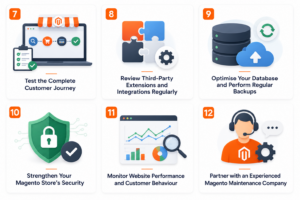
7. Test the Complete Customer Journey
Your website might look perfect, but does everything actually work?
Many ecommerce businesses discover checkout problems only after customers start reporting them. By then, you’ve already lost potential sales.
That’s why regular usability testing is one of the most valuable Magento maintenance services you can carry out.
Put yourself in your customer’s shoes and complete the entire buying journey from beginning to end.
Test every important step, including:
- Searching for products.
- Browsing categories.
- Applying filters.
- Viewing product pages.
- Adding items to the basket.
- Applying discount codes.
- Logging into customer accounts.
- Creating a new account.
- Completing guest checkout.
- Selecting different payment methods.
- Choosing delivery options.
- Receiving confirmation emails.
- Tracking orders.
- Submitting returns or cancellation requests.
Don’t stop there.
Test your store across different browsers, operating systems and mobile devices. A checkout that works perfectly on Chrome may not perform the same way on Safari or Edge.
You should also ask people outside your business to test the website occasionally. They often spot navigation issues or confusing checkout steps that internal teams overlook.
Quick Pro Tip:
Record common customer support queries and use them to improve your website. If several customers struggle with the same process, there’s probably something that needs fixing.
8. Review Third-Party Extensions and Integrations Regularly
Extensions are one of Magento’s biggest strengths. They allow you to add new features without building everything from scratch. However, they also require ongoing attention.
Every extension installed on your store increases the number of components that need monitoring. If even one becomes outdated or incompatible, it can affect your website’s performance, security or checkout experience.
As part of your Magento website maintenance, review every installed extension regularly.
Ask yourself:
- Is this extension still required?
- Is it compatible with your current Magento version?
- Has the developer released recent updates?
- Does it affect website speed?
- Are there any known security issues?
Removing unnecessary extensions can improve loading times and reduce maintenance costs.
You should also review integrations with:
- Payment gateways
- ERP systems
- CRM platforms
- Inventory software
- Marketing automation tools
- Shipping providers
- Analytics platforms
These integrations should be tested after every Magento update to ensure they continue working correctly.
Best Practice To Follow:
Choose extensions from trusted developers with a strong support history. A cheaper extension isn’t always the better investment if updates stop after a few months.
9. Optimise Your Database and Perform Regular Backups
Your Magento database grows every day.
New products, customer accounts, orders, search logs and system records all increase its size. Over time, this can affect website performance if left unmanaged.
Routine database maintenance keeps your store running efficiently.
Some recommended tasks include:
- Remove unnecessary log files.
- Clean temporary data.
- Optimise database tables.
- Rebuild indexes when needed.
- Monitor storage usage.
- Check for database errors.
Just as important are regular backups.
Backups provide peace of mind if something unexpected happens, such as a failed update, accidental deletion, server failure or cyber attack.
Your backup strategy should include:
- Database backups
- Website files
- Media library
- Themes
- Custom code
- Configuration settings
Store backups in a secure off-site location rather than relying only on your hosting server.
Most importantly, don’t just create backups—test them. A backup is only useful if it can be restored successfully when needed.
Pro Tip:
Automated daily backups combined with monthly recovery testing provide a much safer disaster recovery plan than manual backups alone.
10. Strengthen Your Magento Store’s Security
Security isn’t something you can set up once and forget.
Cyber threats continue to evolve, and ecommerce websites remain attractive targets because they store valuable customer and payment data.
Even a small security weakness can lead to downtime, financial loss and damaged customer confidence.
A proactive Magento maintenance service focuses on preventing issues before they become serious.
Key security tasks include:
- Install Adobe Commerce security patches promptly.
- Enable Multi-Factor Authentication (MFA).
- Use strong administrator passwords.
- Limit administrator permissions.
- Remove inactive user accounts.
- Enable HTTPS across your website.
- Renew SSL certificates before expiry.
- Monitor suspicious login attempts.
- Scan your website for malware regularly.
- Review server logs for unusual activity.
You should also review access permissions regularly. Team members who no longer require administrative access should have their accounts removed immediately.
If your business processes online payments, make sure your website also follows current PCI DSS requirements. Compliance helps protect payment information and reduces the risk of fraud.
Common Mistake to Avoid:
Many businesses delay security updates because they’re worried about compatibility. The safer approach is to test updates in a staging environment and deploy them as soon as possible.
11. Monitor Website Performance and Customer Behaviour
Good maintenance isn’t just about fixing problems. It’s about understanding how customers interact with your website.
Performance monitoring helps you identify issues long before they affect conversions.
Review your analytics regularly to understand:
- Which pages load slowly.
- Where customers leave the checkout.
- Which devices visitors use most.
- Pages with high bounce rates.
- Search terms customers use.
- Best-selling products.
- Underperforming landing pages.
You should also monitor:
- Website uptime
- Server response times
- Error logs
- Broken links
- Form submissions
- Checkout completion rates
Combining technical monitoring with customer behaviour gives you a much clearer picture of your store’s health.
Small improvements based on real customer data often deliver bigger results than major redesigns.
Some Recommended Tools:
Consider using tools such as:
- Google Analytics 4
- Google Search Console
- Google PageSpeed Insights
- Adobe Commerce Reports
- Microsoft Clarity
- Uptime monitoring software
12. Partner with an Experienced Magento Maintenance Company
As your ecommerce business grows, maintaining your Magento store becomes more demanding.
Software updates, security patches, performance optimisation, extension compatibility, backups and ongoing monitoring all require specialist knowledge and time.
Trying to manage everything internally can stretch your resources and increase the risk of missed updates or unexpected issues.
Working with an experienced Magento maintenance company gives you access to specialists who understand Adobe Commerce best practices and keep your store performing at its best.
A professional Magento support and maintenance partner can help with:
- Regular platform updates.
- Security patch installation.
- Performance optimisation.
- Extension management.
- Website monitoring.
- Backup and disaster recovery.
- Technical troubleshooting.
- SEO health checks.
- Ongoing support and advice.
This proactive approach reduces downtime, improves customer experience and allows your internal team to focus on growing the business instead of fixing technical issues. At IDS Logic, our Magento specialists provide tailored Magento website maintenance services that keep your online store secure, fast and ready for future growth. From routine updates to complex performance optimisation, we help businesses maximise the value of their Adobe Commerce investment.

Final Thoughts
Your Magento website is never truly “finished”. It needs regular attention to stay secure, fast and ready for your next sale. As your product catalogue grows, customer expectations evolve and Adobe Commerce continues to release updates, ongoing Magento website maintenance becomes essential rather than optional. Ignoring updates, delaying security patches or overlooking performance issues can lead to slow page speeds, checkout errors, lower search rankings and lost revenue.
The good news is that these problems are largely preventable. A structured maintenance plan helps you identify issues early, improve website performance and deliver the reliable shopping experience your customers expect. From applying security updates and reviewing third-party extensions to optimising Core Web Vitals and testing your checkout, every small improvement contributes to a healthier and more profitable online store.
If your team doesn’t have the time or technical expertise to manage everything in-house, partnering with an experienced Magento maintenance company can save you time, reduce risk and give you peace of mind. Instead of reacting to problems, you’ll have experts proactively monitoring, maintaining and optimising your website throughout the year.
A well-maintained Magento store doesn’t just perform better—it builds customer trust, supports long-term growth and gives your business a stronger competitive advantage in an increasingly demanding ecommerce market.
Keep Your Magento Store Running at Its Best with IDS Logic
Whether you need ongoing Magento support and maintenance, security updates, performance optimisation or help upgrading to the latest Adobe Commerce version, our experienced Magento specialists are here to help.
At IDS Logic, we provide tailored Magento website maintenance services designed to keep your online store secure, reliable and performing at its best. Our team proactively monitors your website, applies updates, resolves technical issues and optimises performance, so you can focus on growing your business with confidence.
Ready to keep your Magento store secure, fast and future-ready? Explore our Magento 2 Maintenance & Support Services or get in touch with our experts to discuss your requirements. We’ll help you build a maintenance plan that keeps your ecommerce business running smoothly today and prepared for tomorrow.