Key Takeaways:
- Keep your Umbraco version supported and plan major upgrades early.
- Apply security patches promptly after proper testing.
- Test forms, checkout journeys, and other lead-generating features.
- Monitor uptime, errors, performance, and integrations continuously.
- Back up your website and prove that those backups can be restored correctly.
- Review packages and dependencies before they create compatibility problems.
- Run regular Umbraco SEO audits to protect organic visibility.
- Use staging environments for updates rather than testing changes on your live website.
- Review user permissions, integrations, and technical debt regularly.
- Use specialist support when your internal team cannot manage these tasks consistently.
An Umbraco website rarely develops serious problems overnight. Most issues build quietly. A security patch gets delayed. A package becomes outdated. A form stops sending enquiries. Page speed slowly falls. Then somebody notices.
By that point, you may already have lost leads, rankings, staff time, or customer confidence.
That is why Umbraco website support and maintenance should never mean fixing problems only after something breaks.
Good maintenance is proactive. You monitor the website, protect it, test critical journeys, manage updates, and plan upgrades before they become urgent.
This matters even more in 2026. Umbraco continues to move quickly. Umbraco 17 remains the recommended Long-Term Support release for most users. Version 17.6.2 arrived on 18 August 2026.
Umbraco 13 also reaches End of Life on 14 December 2026. After that date, standard security updates and support stop.
So, what should you actually maintain?
This guide covers the Umbraco best practices that matter for security, performance, SEO, reliability, and business continuity. It also explains when specialist support starts making more sense than ad-hoc fixes.
Why Does an Umbraco Website Need Regular Maintenance?
Umbraco gives businesses flexibility because developers can customise the CMS around specific requirements.
That flexibility is valuable. However, a customised website can also depend on several moving parts.
Your website may rely on:
- Umbraco CMS
- .NET
- Third-party packages
- Custom code
- Forms
- APIs
- CRM or ERP integrations
- Search functionality
- Hosting infrastructure
- External payment or marketing services
Any one of these can change. A third-party API may introduce a new requirement. A browser update can expose an old front-end issue.
A security vulnerability may also require quick action. Regular Umbraco maintenance reduces the chance that these small changes become major business problems. It also gives your team visibility.
You know what version you run, which dependencies need attention, and where technical risks are building.
That is far safer than waiting for something customer-facing to fail.

1. Keep Your Umbraco Version Supported, Not Simply “Latest”
Older advice often says you should always run the latest Umbraco version.
Reality needs more context.
Your goal should be to run a supported, secure version with a planned upgrade path.
Do not install a major release blindly just because it is new. Major upgrades can affect custom code, integrations, packages, templates, and backoffice extensions.
Instead, review each change first. Test it outside production. Check compatibility. Then plan deployment and rollback.
What Is the Current Umbraco Version Situation in 2026?
As of 18 August 2026, Umbraco lists 17.6.2 as its current LTS release recommended for most users.
Umbraco 18.1.1 is also available. Umbraco 17 has Long-Term Support until November 2028.
The bigger concern for many existing businesses is Umbraco 13.
Umbraco 13 reaches End of Life on 14 December 2026. Standard security patches and official support end afterwards.
If you still use Umbraco 13, this should already sit on your technology roadmap.
Umbraco supports an upgrade path from version 13 LTS to version 17 LTS. The exact approach depends on your implementation. Older custom extensions and complex data structures may require more careful migration work.
Still Running an Older Umbraco Version?
Do not wait until an unsupported CMS becomes an urgent security or compatibility problem.
Our Umbraco development services cover upgrades, custom development, integrations, support, and maintenance.
2. Treat Security Patches as Planned Maintenance
CMS security needs ongoing attention. A website that worked securely six months ago may need different patches today.
This is not theoretical. On 18 August 2026, Umbraco released patches addressing four vulnerabilities across CMS, Forms, and Umbraco AI.
One CMS vulnerability carried a high-severity classification. The patched CMS releases were Umbraco 17.6.2 and 18.1.1. Umbraco also confirmed that unsupported versions 14, 15, and 16 would not receive CMS patches for these issues.
That illustrates why version support matters.
A sensible security process should cover:
- Umbraco security advisories
- CMS patches
- Umbraco Forms updates
- Third-party dependencies
- Custom packages
- User permissions
- Hosting configuration
- SSL and security headers
- Backoffice access
- Backup and recovery readiness
Umbraco also provides built-in Health Checks for reviewing parts of an installation’s security and configuration.
Do not simply apply updates directly to production. Assess the change, test it safely, create a rollback point, and then deploy. Speed matters with security patches. So does control.
3. Audit Packages and Dependencies Before They Become Technical Debt
Packages can save considerable development time.
They can add search, forms, integrations, content tools, workflow features, and other useful capabilities. However, every package becomes another dependency you need to understand.
Before adding one, ask:
- Does the package support your Umbraco version?
- Is the developer still maintaining it?
- Does it receive security updates?
- Does your website genuinely need it?
- Could custom code provide a safer long-term option?
- What happens when you perform your next major upgrade?
The same review should happen during ongoing Umbraco CMS maintenance. Remove unused packages where practical. Check active dependencies before upgrading Umbraco.
Most importantly, document why critical packages exist. That documentation becomes extremely useful when another developer takes over the website later.
4. Use a Staging Environment for Changes
Your production website is not a testing environment. A simple package update can affect templates, forms, integrations, or backoffice functionality. Always test meaningful changes away from live users first.
A practical setup usually separates:
- Development: where developers build and test changes.
- Staging: where you validate changes in a production-like environment.
- Production: the live website your users access.
This approach gives your team room to catch problems before customers see them.
It also makes rollback easier. For Umbraco Cloud projects, Umbraco provides deployment and environment tooling designed to support controlled workflows. For other hosting models, use an equivalent controlled deployment process. The tool matters less than the discipline.
5. Monitor Uptime, Logs, Errors and Website Health
A website can technically remain online while important features fail. That distinction matters. Your homepage may load perfectly while a payment integration returns errors.
Your contact page may appear normal while every enquiry disappears. Good Umbraco website maintenance services should therefore monitor more than uptime.
Watch:
- Website availability
- Application errors
- Server health
- Database connectivity
- Slow requests
- Failed scheduled jobs
- Integration failures
- Storage usage
- SSL certificate status
- Search errors
- Forms
- Critical user journeys
Umbraco’s production guidance also supports application health probes for checking whether an application can serve requests. Set alerts for issues that need immediate action. A log nobody reviews gives very little protection.
6. Test Your Forms and Lead Journeys Regularly
This is one of the most commercially important maintenance tasks. It is also surprisingly easy to overlook. Your contact form may still look correct.
That does not mean the enquiry reached your sales team.
Problems can happen after email configuration changes, CRM updates, spam-filter changes, or package upgrades. Sometimes the submit button works, yet an integration fails behind the scenes.
Test your important conversion journeys from beginning to end.
That should include:
- Contact forms
- Request-a-quote forms
- Newsletter registrations
- Appointment bookings
- Checkout journeys
- Account registrations
- Downloads
- CRM hand-offs
- Confirmation emails
Check what happens after submission too.
Did the user receive confirmation?
Did your internal team receive the enquiry?
Did your CRM record it correctly?
Did analytics register the conversion?
Losing one enquiry may seem minor.
Losing enquiries for three weeks because nobody tested the form is very different.

7. Back Up More Than Your Website Files
A backup strategy needs more than occasional copies of your code.
Your Umbraco setup can contain several forms of business-critical information.
Depending on your architecture, that can include:
- Database content
- Media
- Configuration
- Custom code
- Form data
- User-generated files
- Environment settings
Take backups according to the importance and rate of change of your website. However, one step matters even more.
Test your restore process.
An untested backup only proves that you created a file. It does not prove that you can recover the website. Umbraco Cloud includes database backup and restore capabilities. Its documentation also describes point-in-time restore options for Cloud projects.
Whatever hosting setup you use, document recovery responsibilities. Your team should know what to restore, who restores it, and what recovery time the business expects.
8. Keep Performance Under Control
Websites usually become slower gradually. Teams add content, images, scripts, integrations, tracking tools, and new functionality.
Each addition may look harmless. Together, they can create a noticeably slower experience.
Regular Umbraco performance optimisation should review both the front end and application layer.
Areas worth checking include:
- Oversized images
- Unnecessary scripts
- Caching
- Database performance
- Slow API calls
- Third-party services
- CDN configuration
- Search performance
- Rendering delays
- Hosting resources
Do not optimise a score simply for the sake of reaching 100. Focus on what real visitors experience. Google continues to include Core Web Vitals within its broader guidance around page experience. Performance also affects something more immediate than rankings. A slow form, product page, or customer portal creates friction at the exact moment someone wants to act.
9. Run a Regular Umbraco SEO Audit
Technical website changes can quietly damage organic visibility. A developer may remove a redirect during a release. An editor may publish duplicate page titles. A migration can accidentally introduce incorrect canonical tags.
Google recommends maintaining SEO over time rather than treating optimisation as a one-off project.
That is why an Umbraco SEO audit belongs within ongoing website maintenance.
Review:
- Page titles
- Meta descriptions
- Heading structure
- Canonical tags
- XML sitemaps
- Robots directives
- Broken internal links
- 404 errors
- Redirect chains
- Structured data
- Image optimisation
- Indexing issues
- Orphan pages
- Mobile usability
- Core Web Vitals
Connect Maintenance With Your Umbraco SEO Strategy
Technical SEO and website maintenance should not operate in separate worlds. Your Umbraco SEO strategy depends partly on keeping the technical foundation healthy.
For example, content optimisation will struggle if search engines cannot crawl important pages correctly. Good content cannot fix broken canonical tags either.
Neither can it recover rankings lost through incorrect redirects after a migration. Your SEO and development teams should therefore share findings.
SEO identifies the problem.
Development fixes the underlying technical cause. That combination makes Umbraco SEO optimisation far more useful than producing another audit nobody implements.
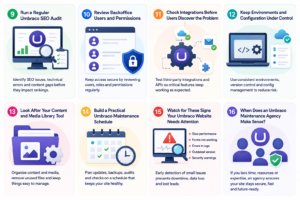
10. Review Backoffice Users and Permissions
People change roles. Employees leave. Agencies change. Temporary accounts can easily stay active for much longer than intended.
Review Umbraco backoffice access regularly. Remove accounts that no longer need access. Give users only the permissions required for their role. You should also review access after supplier or staffing changes.
This became particularly relevant following Umbraco’s August 2026 security advisory. Some of the disclosed vulnerabilities involved authenticated backoffice users and access permissions.
Security updates remain essential. However, sensible access control reduces unnecessary exposure too.
11. Check Integrations Before Users Discover the Problem
Modern Umbraco websites rarely work alone.
They often exchange information with other platforms.
These can include:
- CRM systems
- ERP platforms
- Payment gateways
- Search services
- Marketing automation tools
- Product databases
- Email platforms
- Analytics services
- Customer portals
- Third-party APIs
The Umbraco website may remain healthy while one external connection fails. That is why integration testing belongs within maintenance.
Monitor important responses and errors. Test authentication changes.
Watch for API deprecation notices. Review rate limits where relevant.
Most importantly, decide what happens when an external system becomes unavailable. A graceful error message is better than a broken customer journey.
12. Keep Environments and Configuration Under Control
Manual configuration changes create inconsistency. Something works in development but fails in production.
Nobody remembers which setting changed. The problem becomes harder when several developers work across multiple environments.
Use source control for code and configuration wherever appropriate. Keep environment-specific secrets outside your shared codebase.
Document deployment requirements. Umbraco Deploy can support the movement of schema, content, and configuration between Umbraco environments.
The important point is consistency. A predictable deployment process reduces human error.
13. Look After Your Content and Media Library Too
Maintenance is not only a developer task. Your content estate can become untidy over time.
- Old files remain in the media library.
- Campaign pages become orphaned.
- Editors upload oversized images.
- Similar pages compete for the same search intent.
- Outdated information stays online.
Periodically review:
- Old content
- Unused media
- Duplicate pages
- Expired campaigns
- Broken downloads
- Outdated contact information
- Navigation
- Internal linking
- Image sizes
- Redirected URLs
This improves both editorial experience and website quality. It also makes future migrations much easier. Moving years of unnecessary content into a new CMS version creates work without adding value.
14. Build a Practical Umbraco Maintenance Schedule
There is no perfect maintenance frequency for every website. A high-volume ecommerce platform needs more monitoring than a small brochure site.
Still, the following provides a useful baseline.
Treat this as a starting point. Adjust the frequency around business risk. A website generating hundreds of daily enquiries needs tighter checks than a small information site.
15. Watch for These Signs Your Umbraco Website Needs Attention
You do not have to wait for downtime. Several warning signs suggest maintenance has slipped.
Your Website Has Become Noticeably Slower
Look for changing traffic levels, heavier content, inefficient code, or third-party services.
Small Bugs Keep Returning
Repeated problems often indicate an underlying cause rather than isolated defects.
Nobody Knows Which Umbraco Version You Run
That usually means upgrade and security planning lack clear ownership.
Updates Feel Too Risky to Install
This can signal accumulated technical debt or weak test coverage.
Your Agency or Original Developer Has Left
Do not wait for a major incident before documenting the website.
Your Organic Traffic Has Fallen
Run an Umbraco SEO audit alongside technical and content analysis.
Forms Produce Fewer Enquiries
Do not assume demand has fallen. Test the entire conversion path before reaching that conclusion.
Your Website Runs on an Unsupported Version
Create an upgrade roadmap before a security issue forces the decision.
16. When Does an Umbraco Maintenance Agency Make Sense?
Not every organisation needs an external agency. Some businesses already have experienced internal Umbraco developers and infrastructure teams.
However, a specialist Umbraco maintenance agency can make sense when your internal team cannot provide consistent coverage.
You may need outside support when:
- Your website supports important revenue or enquiries.
- Internal developers have no time for maintenance.
- Your Umbraco version needs upgrading.
- The original development agency has changed.
- Integrations create frequent problems.
- Security updates remain delayed.
- Nobody monitors the platform proactively.
- Technical SEO recommendations remain unresolved.
- You need predictable support and escalation.
Look beyond hourly rates when choosing support.
Ask how the agency handles:
- Onboarding
- Code review
- Monitoring
- Security patches
- Testing
- Deployment
- Response priorities
- Documentation
- Reporting
- Upgrade planning
Reactive fixes have their place. However, long-term maintenance should reduce how often emergencies happen.
Keep Your Umbraco Website Healthy Before Problems Become Urgent
No maintenance plan can promise that a website will never experience an issue.
That would not be realistic. Good maintenance does something more valuable. It reduces avoidable failures and helps your team respond quickly when something does go wrong.
Keep your CMS supported. Patch security issues. Test the journeys that generate business. Monitor performance and integrations. Protect your backups. And keep your SEO foundations healthy.
Those Umbraco best practices give your website a much better chance of remaining reliable as your business grows. If maintaining your Umbraco platform has become difficult, get the current position reviewed first. You may need a few targeted fixes rather than a complete rebuild.

Why Proactive Umbraco Maintenance Costs Less Than Neglect
Maintenance can look like another monthly technology cost. The value often appears in problems that never happen. One planned security update can avoid an emergency response.
A tested backup can turn a serious incident into a manageable recovery.
A working contact form protects enquiries that marketing already paid to generate.
A clean upgrade path can also prevent expensive redevelopment later.
You should therefore measure maintenance against business risk. Ask what downtime costs. Ask what losing enquiries costs.
Then consider what happens if unsupported technology limits your next important project. That gives maintenance a much more realistic business value.
How IDS Logic Supports Umbraco Websites Across the UK
IDS Logic has more than 19 years of digital development experience. Our Umbraco specialists support organisations in Leeds, London, Liverpool, Birmingham, and across the UK.
Our Umbraco development services cover:
- Custom Umbraco development
- CMS design and development
- Modules and templates
- ERP integrations
- CRM integrations
- Support and maintenance
- Performance optimisation
- Ongoing enhancements
We approach maintenance as more than fixing tickets. The goal is to keep your website secure, usable, supportable, and ready for future changes.
That can involve resolving an immediate problem. It may also involve removing the reason that problem keeps returning. For organisations with older Umbraco websites, we can also assess current architecture before planning the next development stage. That gives you a clearer view of priorities, dependencies, and risks.