Artificial Intelligence is rapidly becoming a competitive advantage for organisations looking to improve productivity, reduce administration and help employees focus on higher-value work.
For businesses already using Microsoft 365, Microsoft Copilot in SharePoint offers a practical way to introduce AI into everyday workflows, helping organisations improve productivity while working with existing business information.
However, successful Copilot adoption involves much more than purchasing licences.
Organisations achieve the greatest value when Copilot is supported by:
- A well-structured Microsoft 365 environment
- Clean SharePoint information architecture
- Strong governance and permissions
- Employee training
- Clearly defined business objectives
This guide explains how Microsoft Copilot improves productivity, the challenges organisations should prepare for and how businesses can maximise their investment securely.
Why UK Businesses Are Investing in Microsoft Copilot
Employees often spend large parts of their working day managing email, attending meetings, searching for documents, preparing reports and updating spreadsheets.
Microsoft’s 2024 Work Trend Index describes a growing capacity gap, where employees are expected to achieve more despite already operating at full capacity.
Copilot helps reduce repetitive administrative work so employees can spend more time on:
- Customer relationships
- Strategic planning
- Problem solving
- Innovation
- Decision-making
For organisations already invested in Microsoft 365, Copilot can fit naturally into existing workflows without introducing another disconnected application.
What Is Microsoft Copilot?
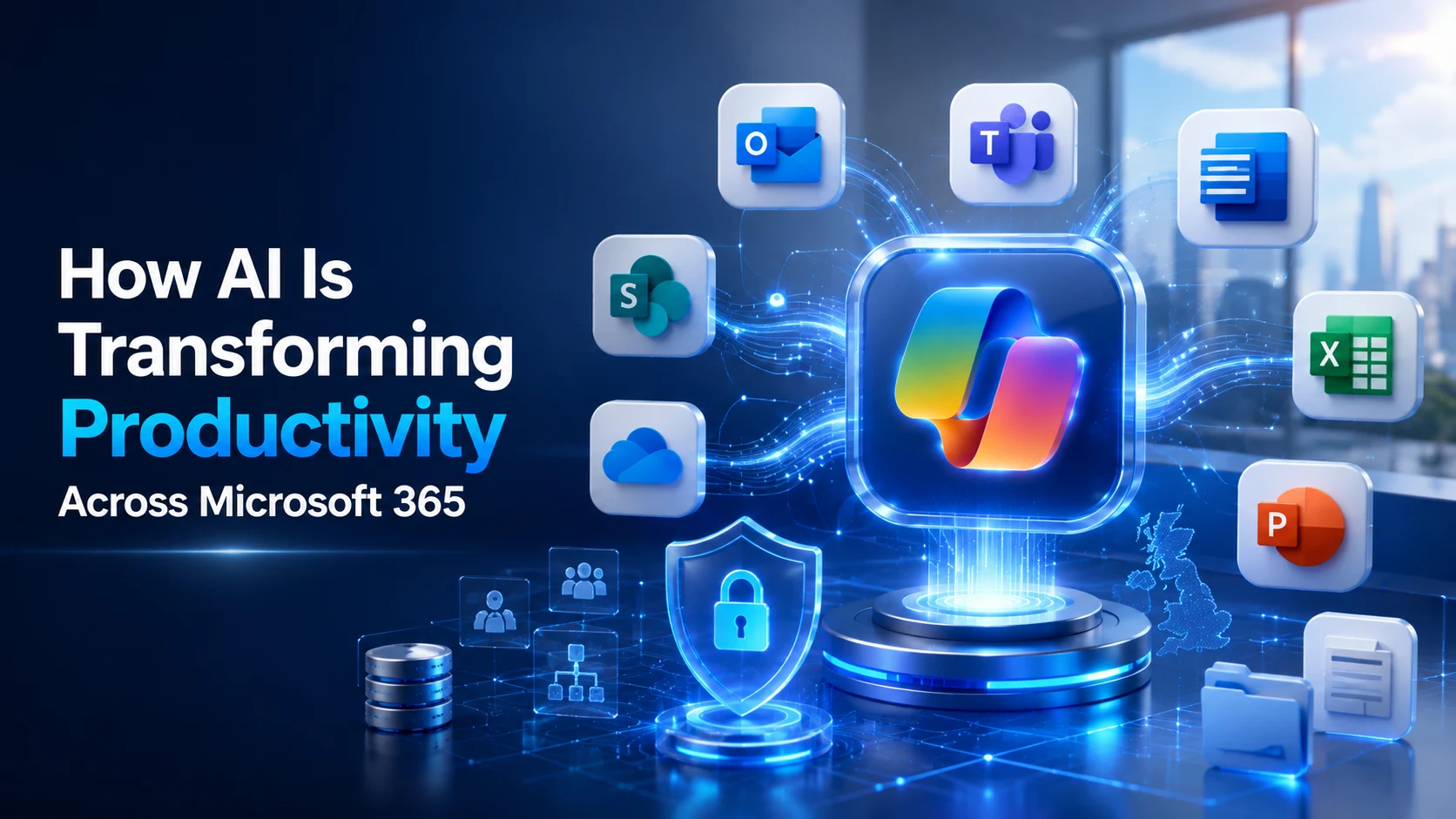
Microsoft Copilot is Microsoft’s AI-powered assistant for Microsoft 365, combining AI-powered solutions with information available across workplace applications and business systems.
It combines Large Language Models with information available through services including:
- Outlook
- Teams
- Word
- Excel
- PowerPoint
- OneDrive
- SharePoint
- Microsoft Graph
Unlike general-purpose public AI tools, Copilot can work with organisational information that employees already have permission to access.
It can help users:
- Summarise meetings
- Draft emails
- Analyse spreadsheets
- Generate reports
- Create presentations
- Find information across Microsoft 365
- Answer questions using organisational knowledge
Because Copilot respects existing Microsoft 365 permissions, users should only receive information they are authorised to access.
Microsoft Copilot in Outlook: Reducing Email Overload
Email remains a major productivity drain for many employees.
Copilot can reduce the time spent managing inboxes by:
- Summarising long conversations
- Highlighting decisions
- Identifying follow-up actions
- Drafting replies
- Prioritising important communications
For example, an account manager dealing with a large volume of customer emails can use Copilot to identify urgent requests, quotations requiring follow-up, project changes and overdue actions without manually reading every message first.
The business value is not simply faster email writing. It is giving employees more time to focus on customers and revenue-generating activity.
Microsoft Copilot in Teams: Turning Meetings into Decisions
Meetings often generate valuable discussions, but important actions and decisions can quickly be forgotten.
Copilot can automatically produce:
- Meeting summaries
- Action lists
- Outstanding questions
- Decision logs
- Follow-up notes
- Owners and deadlines
Instead of assigning someone to take detailed minutes, participants can focus on the discussion while Copilot helps capture the outcomes.
For project teams, this can reduce the administration required after meetings and allow work to begin sooner.

Microsoft Copilot in Word: Accelerating Business Documentation
Creating business documents such as proposals, reports, policies and technical documentation can be time-consuming.
Copilot helps by producing a strong first draft that employees can review and refine using their own expertise.
A consultancy, for example, could use Copilot to:
- Generate initial proposals
- Reuse existing project knowledge
- Create executive summaries
- Improve writing quality
- Maintain consistent structure
This allows employees to spend less time formatting documents and more time delivering value to clients.
Microsoft Copilot in Excel: Making Data More Accessible
Most organisations already collect large volumes of business data. The challenge is interpreting it.
Copilot allows employees to analyse spreadsheets using natural language rather than relying entirely on formulas and pivot tables.
Users can ask questions such as:
“Show me which customers generated the highest revenue this quarter.”
Or:
“Compare this month’s operational costs with the previous six months.”
Finance teams can use Copilot to compare budgets, identify unusual spending, highlight trends, create charts and produce executive summaries.
The objective is not to remove financial expertise but to reduce the time spent preparing information so teams can focus on explaining what the numbers mean.
Real-World Microsoft Copilot Use Cases
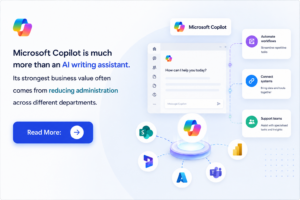
Microsoft Copilot is much more than an AI writing assistant. Its strongest business value often comes from reducing administration across different departments.
Sales
Copilot can help sales teams:
- Summarise customer meetings
- Generate follow-up emails
- Create proposal drafts
- Produce account summaries
Business Outcome: More time selling and less time on administration.
Human Resources
HR teams can use Copilot to accelerate recruitment, onboarding, policy documentation and employee communications.
Business Outcome: More time supporting employees and less time producing repetitive paperwork.
Marketing
Marketing teams can use Copilot to create campaign plans, presentations, content and reports while analysing campaign performance.
Business Outcome: Faster campaign delivery and improved productivity.
Finance
Finance teams can use Copilot to analyse trends, prepare reports and explain financial information.
Business Outcome: Faster access to insights and better decision-making.
Customer Support
Support teams can summarise cases, draft responses and improve knowledge base content.
Business Outcome: Faster response times and more consistent service.
Microsoft Copilot vs ChatGPT: Which AI Tool Is Right for Your Business?
A common question is:
“If we already use ChatGPT, do we really need Microsoft Copilot?”
The tools overlap in some areas but solve different business problems.
ChatGPT is a strong general-purpose AI assistant for brainstorming, content creation, research, problem-solving and coding.
Microsoft Copilot is designed specifically for workplace productivity within Microsoft 365. It allows employees to work with emails, meetings, SharePoint documents, spreadsheets and other organisational information they already have permission to access.
For example, a marketing executive may use ChatGPT to brainstorm campaign ideas while using Copilot to summarise Teams meetings, create reports in Word and analyse campaign data in Excel.
The two tools can therefore complement each other.
At IDS Logic, we help organisations identify where different AI technologies can deliver the greatest business value.
Is Your Microsoft 365 Environment AI-Ready?
Many organisations assume purchasing Copilot licences should be the first step towards AI adoption.
In reality, it should come after assessing whether the Microsoft 365 environment is ready.
Before implementing Copilot, businesses should ask:
- Are SharePoint sites organised consistently?
- Are document libraries free from outdated or duplicate files?
- Are permissions reviewed and current?
- Are Teams channels structured logically?
- Do employees know where important information is stored?
- Are governance policies in place?
Copilot cannot compensate for poor information management.
AI reflects the quality, organisation and accessibility of the information available to it.
Why SharePoint Structure Matters
SharePoint plays an important role in Microsoft’s AI ecosystem and is a significant knowledge source for Copilot.
If SharePoint contains duplicate documents, outdated files, inconsistent structures, poor metadata or incorrect permissions, Copilot may struggle to retrieve the most relevant information.
Before implementation, organisations should review:
- SharePoint architecture
- Document ownership
- Metadata
- Permissions
- Version control
- Information lifecycle management
Preparing SharePoint before deploying AI can significantly improve response quality and employee confidence.
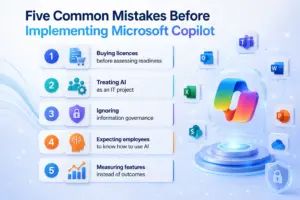
Five Common Mistakes Before Implementing Microsoft Copilot
1. Buying licences before assessing readiness
Purchasing licences without reviewing SharePoint, permissions and governance can lead to disappointing results.
2. Treating AI as an IT project
Copilot changes how people work, not simply the technology they use.
Successful adoption requires involvement from IT, business leaders, HR, compliance teams and end users.
3. Ignoring information governance
If information is duplicated, outdated or stored inconsistently, Copilot may produce incomplete or less useful results.
Strong information governance should therefore form part of the implementation programme.
4. Expecting employees to know how to use AI
Access alone does not improve productivity.
Employees need guidance on:
- Writing effective prompts
- Validating AI responses
- Understanding limitations
- Protecting sensitive information
- Using AI responsibly
5. Measuring features instead of outcomes
Success should be measured through business outcomes such as:
- Time saved
- Faster proposal creation
- Reduced administration
- Improved meeting productivity
- Better collaboration
- Increased employee satisfaction
What Microsoft Copilot Cannot Do
Copilot is powerful, but it has limitations.
It cannot:
- Replace business expertise
- Fix poor-quality data
- Correct weak governance
- Make strategic business decisions
- Replace human judgement
- Automatically repair poorly organised SharePoint environments
The strongest implementations use AI to support employees rather than replace their expertise.
Writing Better Prompts for Better Results
More specific prompts generally produce more useful results.
Instead of:
“Summarise this meeting.”
Try:
“Summarise this meeting, identify key decisions, outstanding risks, agreed actions, action owners and deadlines.”
Instead of:
“Write an email.”
Try:
“Draft a professional follow-up email thanking the client for today’s meeting, summarising agreed actions, confirming the project timeline and inviting feedback on the attached proposal.”
Teaching employees how to provide context and clear instructions can significantly improve Copilot adoption.
Security, Compliance and GDPR
Security is one of the biggest concerns when businesses introduce AI.
Microsoft Copilot operates within the Microsoft 365 security framework and works with controls including:
- User permissions
- Microsoft Entra ID authentication
- Data Loss Prevention policies
- Microsoft Purview compliance controls
- Existing security classifications
This can help organisations introduce AI while maintaining enterprise security and supporting GDPR compliance.
However, technology alone does not guarantee compliance.
Businesses should also establish:
- Responsible AI policies
- Employee training
- Data classification standards
- Information governance processes
- Security awareness programmes
Strong governance combined with Microsoft’s security capabilities creates a better foundation for long-term AI adoption.
Best Practices for a Successful Microsoft Copilot Implementation
Organisations seeking the strongest return on investment should take a structured approach.
At IDS Logic, we recommend:
✔ Assess Microsoft 365 readiness before purchasing licences.
✔ Review SharePoint architecture and permissions.
✔ Identify high-value use cases across departments.
✔ Run a pilot with selected business users.
✔ Provide AI awareness and prompt training.
✔ Measure productivity improvements against defined metrics.
✔ Expand adoption gradually based on lessons learned.
A phased approach reduces risk while allowing employees to build confidence in AI.
Final Thoughts
Microsoft Copilot offers UK organisations a practical way to introduce AI into everyday business operations.
From reducing email administration and improving meeting productivity to analysing data and accelerating document creation, it can help employees spend less time on repetitive tasks and more time delivering business value.
However, technology alone does not create successful AI programmes.
The organisations most likely to achieve a strong return on investment are those that combine AI with good governance, well-managed information, employee training and a clear implementation strategy.
Rather than asking:
“How quickly can we deploy Copilot?”
Businesses should ask:
“How do we prepare our organisation to get the most value from AI?”
That distinction can determine whether Copilot becomes a genuine productivity advantage or simply another software licence.
Ready to Make Microsoft Copilot Work for Your Business?
Before investing in Microsoft Copilot licences, it is important to understand whether your Microsoft 365 environment is ready for AI.
At IDS Logic, we help organisations assess Microsoft 365 readiness, optimise SharePoint architecture, strengthen governance, review permissions and create practical AI adoption roadmaps focused on measurable business outcomes.
Whether you’re exploring Microsoft Copilot for the first time or planning an organisation-wide rollout, our consultants can help you implement AI securely, improve user adoption and turn Microsoft Copilot into a long-term productivity advantage.
Talk to our Microsoft specialists today and discover how your organisation can unlock the full potential of Microsoft Copilot.