Key Takeaways:
- Moodle LMS 5.2 focuses on simpler course navigation, helping learners understand tasks, deadlines, and progress more clearly.
- New multi-marker assessment workflows improve grading accuracy and support large-scale evaluations.
- Enhanced reporting and filtering tools reduce manual effort and provide clearer insights into learner performance.
- Updated dashboard and login experience improves usability, especially for new users and organisations.
- Built-in AI integrations (Gemini & AWS Bedrock) offer more flexibility for content creation and automation.
- Improved course management features like subsection duplication and faster editing save time for educators.
- Technical upgrades such as React foundations and Composer support make Moodle more scalable and future-ready.
- Better mobile experience and UI improvements ensure faster access and smoother learning across devices.
- Overall, Moodle LMS 5.2 helps organisations reduce admin workload, improve engagement, and scale learning efficiently.
For training, compliance, and education, many UK organizations rely heavily on LMS platforms. These challenges, however, often hinder learning and administration. Courses can feel confusing, assessments can take a long time to manage, and reporting lacks clarity.
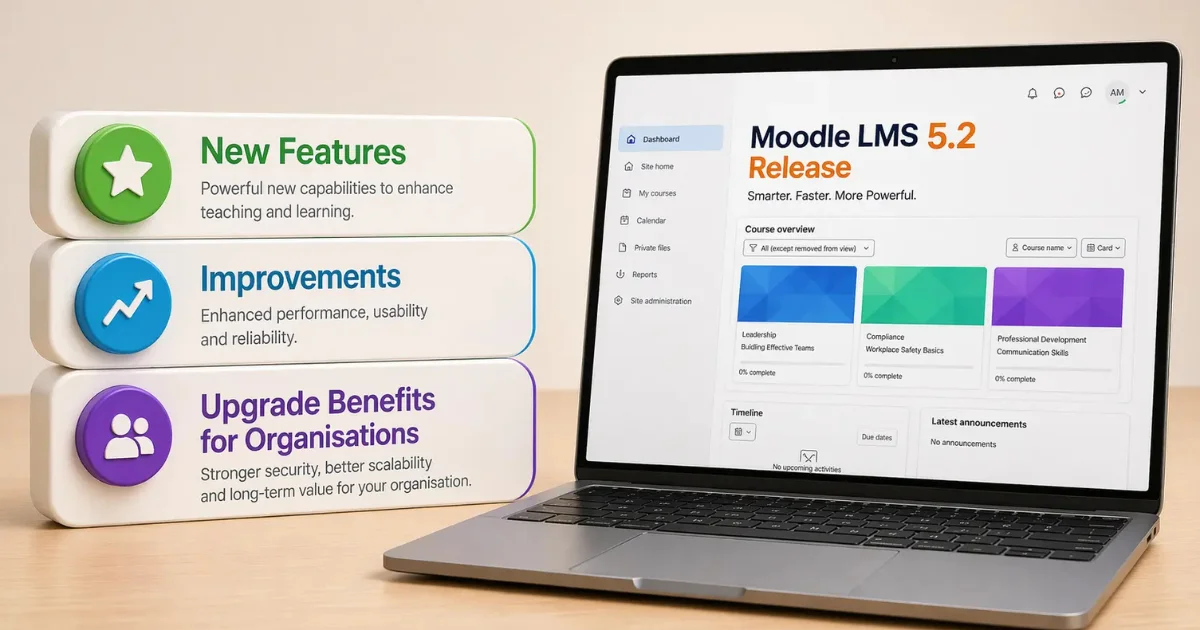
The latest Moodle LMS 5.2 features aim to solve these problems with a strong focus on usability, clarity, and performance. This release introduces improvements that make courses easier to navigate, streamline assessment workflows, and simplify everyday platform management. As a result, educators and administrators can work more efficiently, while learners enjoy a smoother experience.
One of the key highlights in the Moodle LMS 5.2 updates is the improved course structure and activity experience. Learners can now clearly understand what to do next, while educators can organise content in a more structured way. At the same time, updated assessment tools offer better grading workflows, improved question management, and more flexible reporting. This reduces manual work and improves consistency.
Moodle also continues its shift towards a more modern platform. With the introduction of React foundations, improved design consistency, and support for Composer-based installations, the platform becomes easier to scale and maintain. In addition, expanded AI support, including providers like Gemini and AWS Bedrock, gives organisations more control over how they use AI in their learning environments.
The Moodle LMS latest version 2026 is more than just an update. It is designed to improve learning clarity, reduce operational effort, and prepare organisations for the future of digital education. In the sections below, we break down what’s new in Moodle 5.2 and why it matters.
What’s New in Moodle LMS 5.2 – Complete Feature Breakdown
The Moodle LMS 5.2 features bring a major step forward in usability, performance, and flexibility. This release focuses on solving real challenges faced by educators and organisations, such as complex course navigation, time-consuming assessments, and limited reporting clarity.
Below is a detailed breakdown of what’s new in Moodle 5.2, covering every key update and improvement you need to know.
1. Clearer Course Experience and Activity Navigation
One of the biggest Moodle LMS improvements 2026 is how courses are structured and presented. Many learners struggle to understand what to do next. Moodle 5.2 directly addresses this.
Activity pages are now cleaner and more structured. Key details like completion rules, deadlines, and actions appear at the top. This makes it easier to scan and act quickly.
Course titles remain visible while scrolling. This small change improves navigation and reduces confusion. Also, activity dates now sit in a dedicated section, making them hard to miss. In addition, completion buttons and status labels are placed clearly in the header. This ensures users always know their progress without searching through the page.
These Moodle LMS course management features help learners stay on track and reduce support queries for administrators. For a deeper look at how Moodle can personalise learning journeys, read this.
2. Better Visibility for Restricted Content
Restricted content often creates confusion. Learners do not always know why they cannot access something. Moodle 5.2 fixes this by introducing dedicated pages for restricted sections and activities. These pages clearly show access rules and conditions. The result is that users know what to expect before accessing content. This improves transparency and makes the process more enjoyable.
3. Advanced Assessment Workflows and Grading Improvements
Assessment management is a key focus in the Moodle LMS 5.2 updates. A major addition is multi-marker grading for assignments. Educators can now assign multiple markers to the same submission. They can also define how final grades are calculated, automatically or manually.
This is especially useful for universities and training providers handling large volumes of assessments. It improves fairness and consistency in grading. At the same time, workflows update in real time. This ensures smooth coordination between markers and reduces delays. This makes Moodle LMS reporting and assessment tools more reliable and scalable.
4. Improved Subsections and Course Structure
Course organisation becomes simpler with redesigned subsections. Instead of opening new pages, subsection links now take users directly to content. This reduces clicks and improves speed. The visual layout is also cleaner. Unnecessary boxes are removed, and content appears more structured.In addition, educators can now duplicate subsections easily. This saves time when creating similar course sections.
5. Refreshed Dashboard and Login Experience
First impressions matter. Moodle 5.2 improves the onboarding experience significantly. The login page now looks cleaner and more modern. It also feels more consistent across devices. Once logged in, users land on a simplified dashboard. The course overview appears by default, making it easier to access or create courses.
Navigation is also streamlined. Unnecessary links are removed, and the dashboard becomes the central workspace. Multi-factor authentication (MFA) has also been refreshed. It now offers a more consistent and user-friendly experience across login methods. These changes improve usability, especially for new users.
6. Smarter Question Bank and Quiz Management
Managing assessments becomes easier with updated question bank tools. Users can now expand or collapse categories, edit them directly, and move entire sections without hassle.
Question counts are also visible at a glance. This helps educators manage large question banks more effectively. Drag-and-drop functionality further improves organisation. The navigation across question bank areas has also been improved. This reduces the amount of time it takes to learn a topic and improves efficiency.
7. Enhanced Reporting and Data Insights
Reporting gets a major upgrade in the Moodle LMS latest version 2026. The Report Builder now offers better filtering options. Users can find information faster and with more precision. Task logs include advanced filters such as database activity tracking. This helps administrators monitor system performance more effectively. Clearer schedule statuses and notifications also improve report management. Overall, these updates reduce manual work and improve confidence in data insights.
8. Modern Platform Enhancements for Future Growth
Moodle 5.2 is not just about usability. It also strengthens the platform for the future. React foundations are now introduced in the core. This supports modern interface development and better performance. The Moodle Design System is also integrated. This ensures a consistent UI across the platform.
Another key improvement is Composer-based installation support. This simplifies maintenance and dependency management. These updates make Moodle more scalable and easier to manage long-term.
9. Expanded AI Capabilities and Integration Flexibility
AI continues to evolve within Moodle. Moodle 5.2 now supports advanced AI providers like Google Gemini and AWS Bedrock. This allows organisations to choose how they implement AI based on their policies and infrastructure.
With these integrations, users can generate content, summarise information, and enhance learning experiences. Importantly, data remains within the organisation’s environment. This supports compliance and data security requirements.

10. Faster Course Editing and Workflow Improvements
Course management becomes faster and more reliable in this update. Large course resets now run asynchronously. This prevents timeouts and improves system stability. Users are redirected directly to edited activities, saving time during updates.
Section editing workflows are also improved. Users return to their previous position after saving changes. Additionally, the activities block is removed. This simplifies navigation and reduces clutter.
11. Stronger Admin Controls and Governance Features
Administrators gain better control with new system-level improvements. Backup file naming can now be customised using templates. This helps maintain consistency and compliance. Course deletion is also simplified. Admins can delete courses using IDs or short names. These changes reduce errors and improve operational efficiency.
12. Better User Experience and Interface Enhancements
Several small but impactful UI updates improve daily usage. Submit buttons now stay visible in a sticky footer. This reduces scrolling and saves time.
Custom field management pages are redesigned for clarity. Users can easily identify and manage fields. The default font size is also adjusted for better readability.
13. Improved Collaboration and Forum Features
Collaboration becomes more dynamic with updated forums. In Q&A forums, responses now appear instantly after posting. This supports real-time discussions. New inactivity-based locking options are also introduced. These range from short durations to several years. This gives organisations better control over discussion lifecycles.
14. Enhanced Mobile Experience and Flexibility
Mobile functionality also sees important upgrades. Admins can now add custom menu items to the mobile app. This improves accessibility to key features. A secure JavaScript allowlist ensures safe use of external scripts. The mobile subscription page is also redesigned. It now clearly shows usage, limits, and upgrade options. These updates make mobile learning more flexible and secure.
Developer Updates in Moodle LMS 5.2 (API & Extensibility Improvements)
Alongside user-facing improvements, the Moodle LMS 5.2 updates also introduce important changes for developers. These updates focus on improving flexibility, maintainability, and long-term scalability of the platform.
1. Improved Badges API for Better Scalability
The Badges API has been restructured to make it easier to manage and extend. Earlier, the system had limitations when supporting newer Open Badges standards.
With this update, Moodle now supports multiple badge schema versions more effectively. This ensures smoother integration with external platforms and future-proofs your LMS for evolving certification standards.
For organisations, this means better compatibility and fewer issues when managing digital credentials at scale.
2. Smarter Activity Chooser Descriptions
The Activity Chooser has been improved to provide clearer guidance for both developers and educators.
New structured fields are introduced, including:
- Summary descriptions for quick understanding
- Detailed help sections with features and use cases
- Tips for best practices and usage
These changes make it easier to design consistent and user-friendly modules. At the same time, third-party plugins can now follow the same structure, ensuring better standardisation across the platform.
Conclusion – Why Moodle LMS 5.2 is a Smart Upgrade for 2026
Moodle LMS 5.2 brings meaningful improvements that go beyond surface-level changes. It simplifies course navigation, improves assessment workflows, and strengthens reporting capabilities. At the same time, it prepares the platform for future growth with modern technologies and AI flexibility.
For organisations, these updates translate into better learner engagement, reduced administrative effort, and improved decision-making through clearer insights. More importantly, this release focuses on long-term value. With better scalability, enhanced usability, and stronger technical foundations, Moodle 5.2 supports both current needs and future expansion.
If your organisation relies on digital learning, delaying the upgrade could mean missing out on efficiency gains and improved user experiences. Now is the right time to evaluate your LMS strategy, upgrade confidently, and ensure your platform is ready for the demands of 2026 and beyond.
How IDS Logic Can Help You with Moodle LMS 5.2?
Upgrading to the Moodle LMS latest version 2026 is not just a technical step. It requires the right strategy, setup, and ongoing support to deliver real results. This is where IDS Logic comes in.
At IDS Logic, we help organisations move to Moodle 5.2 with minimal disruption and maximum value. Whether you are planning a fresh implementation or upgrading an existing platform, our team ensures everything runs smoothly from day one. We provide end-to-end Moodle development, upgrade, and support services. This includes version upgrades, performance optimisation, plugin compatibility checks, and secure data migration. As a result, your LMS stays stable, fast, and future-ready.
Beyond upgrades, we also build custom LMS solutions tailored to your needs. From personalised learning paths to advanced reporting dashboards and third-party integrations, we design systems that match your business goals. Our expert team offers ongoing maintenance and support. We monitor performance, apply updates, fix issues quickly, and ensure your LMS continues to perform at its best.
If you’re ready to get the most out of Moodle 5.2, take a look at our expert LMS services.
Discover Moodle LMS Development Services